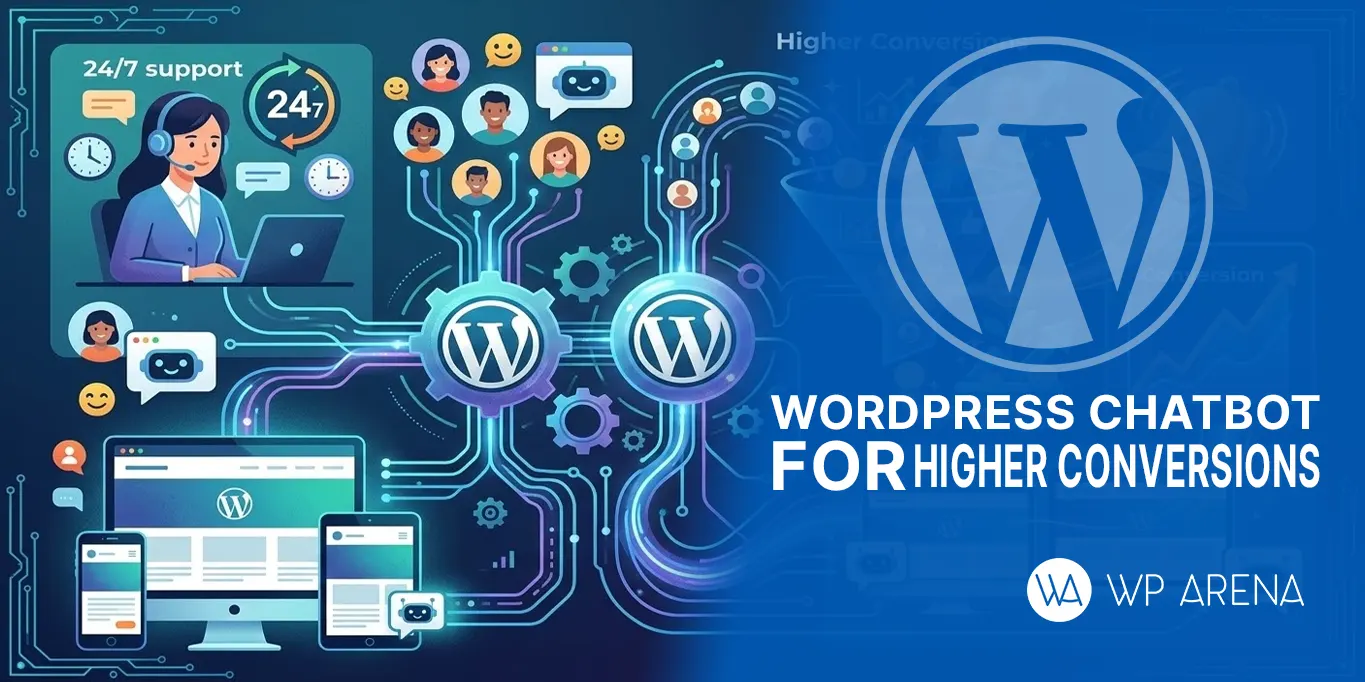
Visitors nowadays always look for an immediate response and a smooth online experience. If your site fails to respond in time, users run away within seconds. And this is where Chatbot WordPress comes into play. With an AI chatbot, you can automatically interact with visitors and respond to frequently asked questions.
You can capture leads on your WordPress site around the clock without hiring a separate team for that. You could even run a small e-commerce business(website) or service portal. Chatbots convert your casual visitors into paying customers. It not only streamlines customer support, but it can also boost conversions thanks to smart automation. In this ultimate guide, you will discover how a Chatbot WordPress actually works; how it doubles leads; automates support and grows small businesses faster with less effort.
Let’s understand the chatbot itself
A chatbot is an automatic AI-powered tool that you can integrate with your websites. It will interact with real-time users like a human. It helps businesses in handling customer queries, giving instant responses, and speeding up the overall process. Chatbots help in generating leads, provides recommendation to users and can assist users 24/7 without hiring additional staff.
AI VS Rule based chatbots
There are mainly two types of chatbots for WordPress. AI chatbots and rule-based chatbots. AI chatbots (also referred to as WordPress AI chatbots) employ machine learning and conversational AI technologies that allow them to understand users, so they can offer personalized responses. In contrast, rule-based chatbots work best for simple queries as they run on pre-defined scripts.
Why chatbots is an ultimate need?
In todays tech oriented landscape, where everything you can do online. User needs to have a smooth experience. After interacting with your website user should feel safe and satisfied. You may say that for an e-commerce store during high traffic days you will need more staff to run your operations smoothly.
By adding a WordPress chatbot plugin, businesses can automate common questions, lead visitors, and offer round-the-clock help. Moreover, maintaining instant engagement will not only enhance user satisfaction but also create greater opportunities for conversion.
How does a chatbot generate leads?
A Chatbot Automatically Captures Leads From Visitors. Instantly It converts casual visitors into prospects through interactive conversations.
Email Capture Forms
Using chatbots for Email is one of the most straightforward ways for lead generation. The user will enter the email after their proper consent. All the customers’ data will be stored in the knowledge base. By regular follow-ups, newsletters and exclusive promotional emails, it can convert visitors into long-term customers.
Personalized Questions
With a chatbot wordpress, you can ask questions tailored to the visitor’s behavior or preferences. These queries assist in better understanding user requirements, suggesting products or services and providing a customized interaction. This type of engagement establishes trust in addition to effective conversion of leads by keeping visitors on the website for a longer time.
Lead Qualification (Budget, Interest, and Service type)
Chatbots often qualify leads by conducting queries pertinent to budget, interests, or other service requirements. A chatbot WordPress ferrets out serious prospects from casual visitors, so your sales team focuses on high-value leads. This automation allows them to save time, provide better efficiency and increase conversions by reaching the right people.
CRM Integration
Integrating wordpress chatbot plugin with your CRM can automatically boost conversion rates. It stores users’ data such as contact, preferences and conversation history in real time. In my opinion, if you are running a small business, this is a chance to increase marketing and sales. No doubt your productivity will increase and users will have a seamless experience.
Automation for Customer Support
Chatbots work in automating customer support to answer the queries instantly without needing human intervention 24/7. It increases engagement on the website and provides visitors with timely help, creating satisfaction and trust.
FAQs Automation
A chatbot in WordPress can automate FAQ, answering recurring questions immediately. This alleviates the burden on support staff and guarantees that visitors always have accurate information in no time. FAQs automation also enhances the user experience by adding to better engagement of customers without having them wait for humans.
Appointment Booking
Appointment booking features can be added to WordPress websites through chatbots. Through an automated conversation, visitors choose dates, times and services. With a chatbot WordPress, there will be no more booking errors. Additionally, this automation saves staff time and avoids double bookings, allowing users to receive a seamless, convenient experience.
Order Tracking
A WordPress chatbot plugin can show real-time order tracking on e-commerce websites. The chatbot instantly retrieves updates once customers provide order details. This automation minimizes the number of support tickets, increases customer happiness, and allows buyers to remain abreast of delivery status without having for manual help.
Support Ticket Creation
If issues need human intervention, then chatbots can automatically create support tickets. A Chatbot WordPress takes all the required details from users and records them on your system. By doing this, no query goes missing and they are resolved in a speedy manner. Also, support teams can easily work on high-priority issues.
Top Chatbot Plugins for WordPress
Tidio, WP-Chatbot, ChatBot. com, and Collect.chat are the top chatbot plugins for WordPress websites. Their free versions offer basic features but paid plans open up advanced features and analytics.
Tidio
Tidio supports live chat, AI chatbots, automated sequences and integrations (email, Messenger). Setup in 5 minutes, see visitors live. Chat and bot templates included in free plan. Paid plans unleash unlimited bot automation, advanced triggers, multi‑channel messaging and analytics. all perfect for growing businesses that need smarter chatbot features.
WP‑Chatbot
WP‑Chatbot embeds Facebook Messenger chat into your WordPress site, with persistent conversations and customization options. Visitors can easily talk with you through your site or Messenger app. Free plan offers essential chat widget and Messenger integration. Paid upgrades easily allow for advanced bot-automation, multiple team-agent support, chat history, and increased branding.
ChatBot.com
ChatBot. com offers visual bot builder, pre-defined templates, AI responses and CRM integrations. It can help with lead generation, FAQs, and support automation. It gives you a limited free trial, you may need paid plans for continuous use. Paid features includes multiple bots, advanced analytics, priority support and integration with e‑commerce or helpdesk tools.
Collect.chat
Collect. chat builds no‑code conversational forms and chatbots for capturing leads and collecting feedback. Includes conditional logic, scheduling, and integrations with email/CRM tools The basic bot you create will include branding under the free plan. If you want features of branding removal, increased response rates, more than one bot, customized domains, access to webhooks and in depth reporting, you may need paid plans for these advanced features.
AI Chatbots vs Live Chat: Which is Better?
AI chatbots vs live chat: Different functions In terms of cost, due to being able to handle thousands of queries without the need for additional staff, long-term chatbots are cheaper than live chat which needing agents that have a salary. Chatbots are faster because they are instant, while humans are nuanced but slow in providing answers.
Another benefit of AI is its scalability; it can handle numerous conversations in parallel, something live agents cannot. The point of concern is that every company is unique, maybe they will need a hybrid solution. This means the company will need both human and machine assistance. For logical queries humans can answer more optimally. A blend of machine and human ensures high-quality personalized support to deliver the best possible user experience.
Steps to add a chatbot in wordpress
install a chatbot on your WordPress website to increase user interaction and instant support. Here’s a step-by-step guide:
Plugin Install
Start by picking one of the best wordpress chatbot plugins such as Tidio, Collect or WP-Chatbot. chat.as mentioned above In your WordPress dashboard. Then, find Plugins > Add New, search for the specific plugin you’ve picked out and click Install Now, then Activate.
Account Setup
With most chatbots, you have to set up an account. Find the option to activate, and after activation, go to the plugin settings where you either sign up or sign in. very your domain while you are connecting your website. Go to setting it will allow you to configure basic options like chat widget style, welcome message, and default language.
Script Paste Method
Certain chatbots also offer a JavaScript code snippet for manual integration. Now go back to your chatbot account and copy the script then paste it inside WordPress. You can use Appearance > Theme editor > footer. php or use a plugin like Insert Headers and Footers to enter the code without modifying your theme files.
Testing
Test the chatbot thoroughly before going live. Check the widget (appearance on the website), delivery of messages,and working of bot responses by opening your site into an incognito window. Get alerts in your email or dashboard. Configure triggers, automated responses and bot flow settings for a seamless user experience.
By following these steps, you will have a live chatbot on your WordPress site. You, customers, will be satisfied and happy.
Common Mistakes to Avoid
Over-Complicated Flows
Abandoned intent paths due to the complexity of the conversation is really frustrating and leads to a low engagement. Chatbot flows should be simple, intuitive, and targeted at defined user goals to ensure a hurdle-free interaction.
Slow-Loading Chatbot
Slow chatbot annoys visitors and also leads to bounce rates. Use lightweight plugins and optimized scripts or server caching to keep things as speedy as possible.
No Human Fallback Option
Bots are fine for repeated questions but will need human assistance with higher-order issues. Make sure you are always providing a seamless transfer to live agents to avoid user frustration.
Spammy Popups
Aggressive popups with chat can irritate visitors. Be judicious with triggers (thinking about time-on-page and exit intent) and make sure the chatbot has a presence that is helpful instead of intrusive.
Minimizing these pitfalls ensures your chatbot is professional and easy to use as a tool for engagement, lead generation, or user interaction.
The Bottom Line
Adding a Chatbot WordPress to your website is not an option anymore.it’s a must. It allows you to automatically capture leads, provide customer support in no time, and enhance user experience without breaking the bank. It gives 24/7 engagement, faster response times, and higher conversion rates.
Chatbots are especially beneficial to small businesses. Choosing the right chatbot plugin and configuring it correctly can convert your visitors into loyal customers whilst saving you time and resources. Whether it’s a FAQ bot in simple terms or AI-driven automation, a WordPress chatbot works smart. Make sure to thoroughly read the blog and strengthen your online presence.
FAQs
Does my bot help answer questions from the content of my WordPress site?
Yes! Plugins such as Ask My Content can crawl your WordPress posts and pages, so the chatbot is delivering answers from your site instead of something generic. As a result, visitors receive precise, pertinent responses every time.
What is the speed of real-time replies from WordPress chatbots?
Leading plugins such as AskAny give feedback in real time, just like messaging applications. They help lessen server load while providing visitors with real-time assistance without lags, thus leading to a better user experience. Check it here: AskAny Plugin
Can a chatbot integrate with WordPress to recommend or sell products?
Yes! Such AI chatbots are further integrated with WooCommerce and can display product cards, prices, stock details as well as help users add products directly to the cart within the chat (like AskAny). More info: AskAny Plugin
Does Free WordPress Chatbot Offer Responses in AI Form?
Absolutely! Free plugins such as WebChatAgent allow OpenAI / ChatGPT models to provide intelligent conversational responses. Good for small blogs or stores, no monthly fees. Learn more: WebChatAgent Plugin

 Minahil Gull