


WordPress dating site stack
A dating website is not just a pretty member directory. It needs searchable profiles, privacy controls, messaging, moderation, paid access, speed, backups, and a theme that will not fall apart after the next WordPress update. This shortlist separates dedicated dating themes from community platforms and payment plugins, so you can choose the tools your project actually needs.
For a community-led dating site, build the community layer first and treat the visual theme as part of the stack, not the whole product. Dating sites usually need member onboarding, search filters, profile fields, private messaging, activity controls, paid plans, anti-spam rules, and clear reporting tools. That is why BuddyBoss is our community-platform pick. A dedicated dating theme may suit you better when ready-made discovery and matchmaking matter more than groups and activity feeds.
Choose for the experience you want to create: Start with profiles, discovery, messaging, privacy, moderation, and payment needs. Then choose the theme or community platform that covers the most important parts without forcing your members through a confusing setup.
Quick comparison
| Pick | Best for | Core strengths | Watch before buying |
|---|---|---|---|
| 1 BuddyBoss | Serious member communities | Profiles, groups, feeds, messaging, courses, memberships, app options | You still need a dating flow, matching rules, and strong moderation settings |
| 2 LoveDate | Modern dating-network design | Dating-focused presentation with social network positioning | Check demo speed, required plugins, and current support before launch |
| 3 PremiumPress Dating | Dedicated dating website build | Niche-focused dating theme approach with monetization in mind | Make sure the design flexibility matches your brand before committing |
| 4 Sweet Date | Classic BuddyPress dating sites | Dating profile search, BuddyPress and bbPress fit, long marketplace history | It is an older classic, so test plugin compatibility on staging first |
| 5 Seeko | Member discovery and niche communities | BuddyPress-first site builder style with strong directory/search intent | Confirm it matches your membership plugin and profile-field plan |
| 6 KLEO | Flexible community and membership sites | Mature BuddyPress ecosystem, WooCommerce, memberships, multipurpose layouts | More general-purpose than dating-specific; plan your UX carefully |
Best WordPress Dating Themes and Plugins
1. BuddyBoss
Community platform pick foundation for a WordPress dating or private community site.
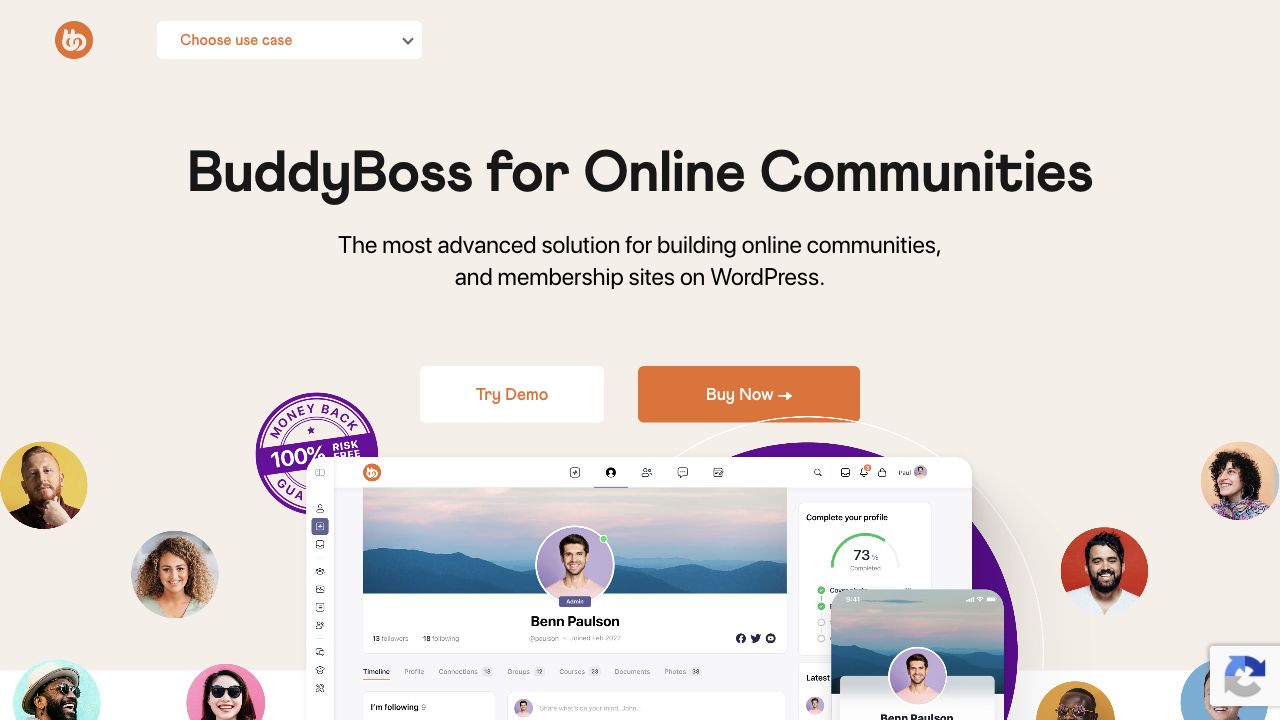
BuddyBoss is the first option I would check for a dating site that needs to feel like a real community rather than a single landing page with a registration form. It gives you a strong member layer: profiles, activity feeds, member directories, groups, notifications, media uploads, privacy controls, and integrations with membership and learning tools.
What you are buying: BuddyBoss Platform supplies community functions; the theme controls presentation, and paid packages or integrations extend the stack. Do not assume a theme license includes a mobile app, membership billing, swipe matching, or proximity search. Confirm the exact package before paying. See the official platform overview and profile-type documentation.
For dating, the important part is not only the theme. You need a member experience where people can join, complete profiles, discover other members, interact safely, report problems, and control what is visible. Those features need careful configuration and testing; installing the theme alone does not establish a safe dating service.
- Community features live in the platform plugin rather than only in the visual theme.
- Works well for private networks, paid communities, coaching groups, and niche dating sites.
- Pairs naturally with membership and payment plugins.
- You may need custom profile fields and matching logic.
- Moderation, onboarding, and privacy settings need careful setup.
- Use a staging site before changing major BuddyBoss or BuddyPress components.
2. LoveDate - Social Dating Network WordPress Theme
A dating-focused ThemeForest option for a dating-network look.

LoveDate is a better fit when the dating angle needs to be visible immediately. It is positioned around social dating and member interaction, so it can make sense for a relationship, matchmaking, or social discovery site where the visual experience matters from the first screen.
Use it when you want a ready-made dating presentation and you are comfortable testing the demo, plugin requirements, mobile layout, and checkout/member flow before launch. Dating sites are account-heavy, so the demo should be tested as a logged-in member, not only as a visitor.
3. PremiumPress Online Dating Theme
Best dedicated dating-theme route for site owners who want a niche package.
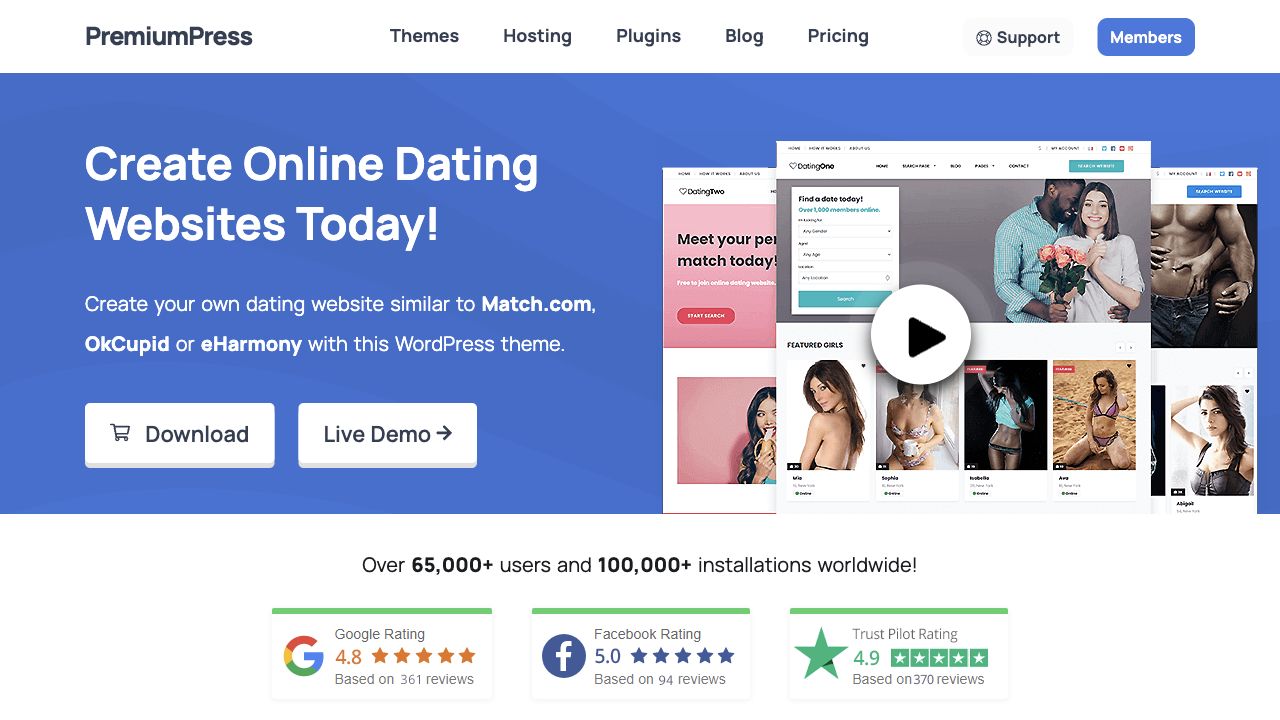
PremiumPress Online Dating Theme is worth considering if you want the project to start as a dating website instead of a general community that you later bend toward dating. It is the more direct route for a niche matchmaking, local dating, or member directory project.
PremiumPress currently advertises distance search, match suggestions, messaging and membership packages in its dating-theme feature list. Test these features in a trial with the locations, payment gateways, and paid-access rules your site needs.
The tradeoff is flexibility. Dedicated themes can move faster at the start, but you should still test profile creation, search, member privacy, payment flow, and moderation before building real traffic on top of it.
4. Sweet Date
Best classic WordPress dating theme for BuddyPress-based sites.
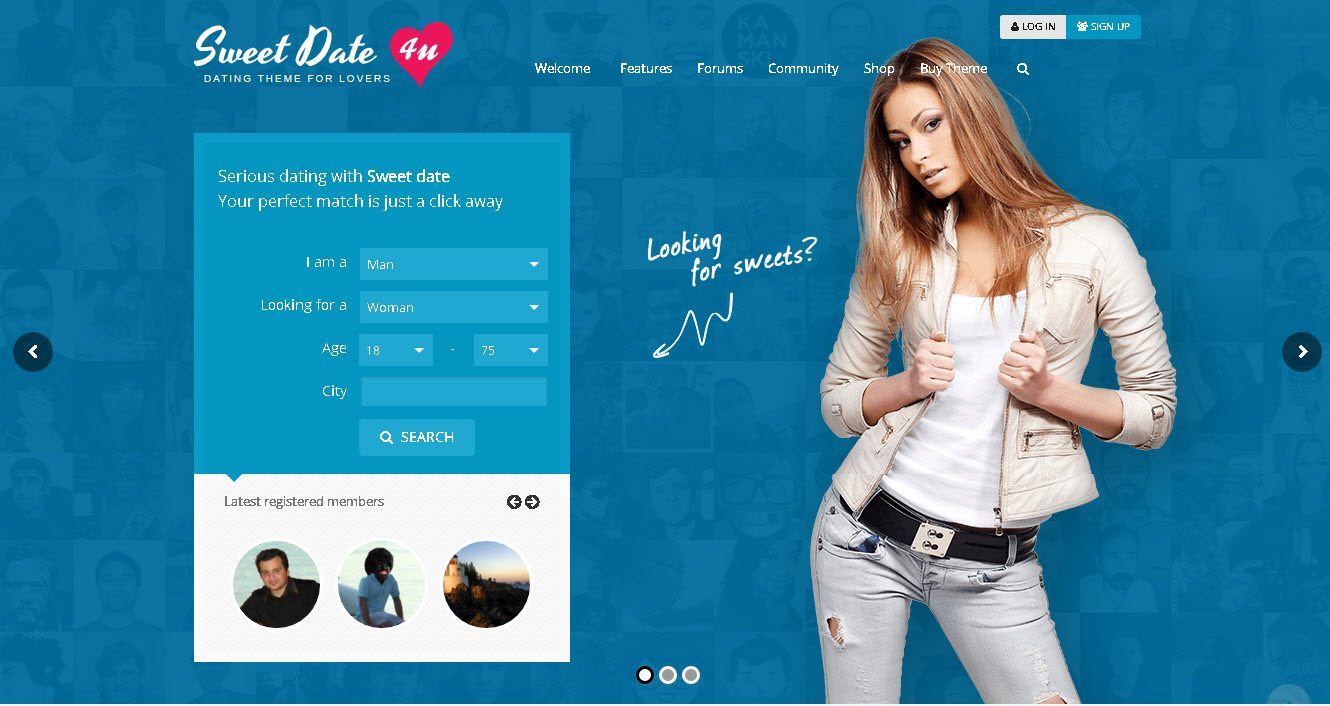
Sweet Date has been one of the recognizable WordPress dating themes for years. The reason it still deserves a place is simple: it was built around dating-style member profiles, BuddyPress search, front-end registration, bbPress community features, and paid access through membership tools.
It is not the newest concept in this list, but it is still useful when you want a proven BuddyPress dating structure and you are willing to test carefully. Check the current demo, support notes, required plugins, and PHP/WordPress compatibility on a staging site before you rebuild a serious business around it.
- Good fit for classic profile-search dating sites.
- Works with the BuddyPress and community-plugin mindset.
- Useful if you want a familiar dating-site layout quickly.
- Design and performance may need cleanup for a modern brand.
- Membership, messaging, and privacy settings still need manual review.
- Do not skip plugin-compatibility testing.
5. Seeko
Best for member discovery, niche communities, and profile search.

Seeko is useful when the heart of the project is discovery: member directories, search, filtering, and a site experience that helps people find relevant profiles. That makes it a natural shortlist item for dating, networking, private clubs, and community directories.
It is not a magic matching engine. You still need to define profile fields, search filters, privacy rules, and what happens after one member finds another. If that plan is clear, Seeko can give the design and BuddyPress layer a cleaner starting point.
6. KLEO
Best mature multipurpose BuddyPress theme for community-heavy builds.
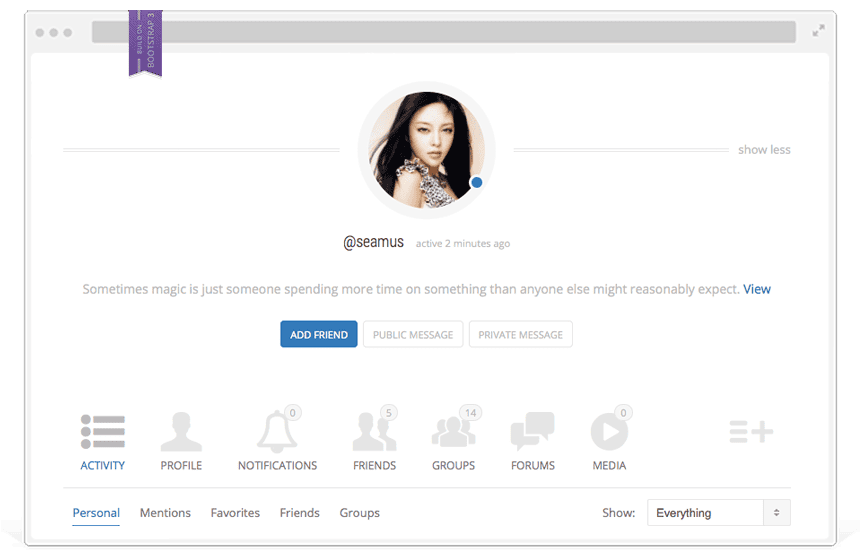
KLEO is not only a dating theme, and that is part of the appeal. It is a mature BuddyPress and membership-friendly theme that can be shaped into dating, networking, courses, private communities, or mixed membership sites.
Choose KLEO if you want a flexible BuddyPress theme and are comfortable designing the dating journey yourself. It is stronger as a community shell than as a complete dating business in a box.
7. PeepSo
Best plugin-first route if you want a private social network inside WordPress.

PeepSo is a plugin-first option rather than a dating theme. That can be a better choice if you already like your theme and want the social network features to live inside WordPress. For dating-style sites, the appeal is the member profile and activity layer.
Read our PeepSo review if you want a deeper look at how it fits a WordPress social network. For a dating project, pair it with a strong membership/payment setup and clear moderation rules.
8. Membership and Payment Plugins
Best supporting layer for paid dating communities.

A dating site needs a payment strategy if you plan to charge for messaging, profile boosts, private groups, premium search, events, or a paid community. Theme choice alone will not solve that.
For the membership layer, compare MemberPress, Paid Memberships Pro, and ARMember. Pick the one that fits your payment gateway, access rules, coupons, subscription logic, and reporting needs. For example, PMPro documents its BuddyPress and BuddyBoss integration; verify the specific restrictions you need instead of assuming ordinary page protection also covers community actions.
Choose a Stack for Your Dating Site
Start with the business model and member journey. Decide whether people primarily browse profiles, participate in a community, or receive curated introductions before choosing the design.
| Project type | Suggested stack | Why |
|---|---|---|
| Paid niche dating community | BuddyBoss + MemberPress or Paid Memberships Pro | Separate the community features from the membership and billing rules. |
| Fast dating-theme launch | LoveDate or PremiumPress Dating | Dating intent is visible faster, with less custom design work at the start. |
| Classic BuddyPress dating site | Sweet Date or Seeko | Good if your plan depends on BuddyPress profiles, search, and community features. |
| Private social network with dating features | PeepSo or BuddyBoss + a careful profile/search setup | Better when social activity matters as much as matchmaking. |
Dating Site Features You Should Not Skip
Profile and discovery features
Privacy, safety, and moderation
Payments and access rules
Performance and hosting
Older Names to Verify Before Using
Some older WordPress dating and BuddyPress themes still appear in old recommendation lists, including OneSocial, Boss Theme, WildCommunity, Huddle, Cinematix, Razor, WP Mingle, WP Symposium, and phpDolphin. We would not start a new commercial dating project on any of these without confirming current support, recent updates, WordPress compatibility, PHP compatibility, mobile quality, and a working demo.
That does not mean every older product is unusable. It means a dating site is too sensitive to build on stale software. If the site handles member accounts, messages, payments, or private media, active maintenance matters more than a screenshot from an old demo.
What does a WordPress dating site cost to run?
The theme price is only one line in the budget. Compare the complete first-year cost and renewal cost, with the same number of sites and the same features. Introductory discounts, support periods and app packages can make otherwise similar offers difficult to compare.
| Cost | What to confirm |
|---|---|
| Theme and community platform | Site license limits, updates, support term and whether essential features require a paid extension. |
| Memberships and payments | Gateway support, recurring billing, cancellation controls, refunds and any platform fee in addition to processor charges. |
| Hosting and delivery | Logged-in traffic, database capacity, photo storage, backups and reliable transactional email. |
| Matching and discovery | Custom fields, reciprocal preferences, distance search, maps and any recurring API charges. |
| Operations | Moderation time, spam prevention, support, maintenance and testing after updates. |
Plan capacity around active members using search and messaging, not just anonymous page views. Our WordPress hosting guide explains how to assess hosting, and our backup guide covers recovery planning.
Test the member journey before launch
Create two ordinary test accounts and a moderator account on staging. Test on a phone as well as a desktop. A polished public demo cannot prove that your private pages, access rules and payment integration work together.
- Registration: complete sign-up, email confirmation, profile editing and password recovery. Check that validation errors explain how to fix the field.
- Discovery: test empty results, partial profiles and location boundaries. Confirm whether matching uses both members’ preferences or only one person’s search filters.
- Privacy: open a private profile and image URL while logged out and from the second account. Hiding a menu link is not access control.
- Messaging and moderation: send a message, block the sender and file a report. Check that a moderator can find and resolve the report, and that blocked accounts cannot continue the same interaction.
- Paid access: use the payment provider’s sandbox to test a purchase, failed renewal and cancellation. Confirm that permissions change when the subscription state changes.
- Recovery: restore a staging backup and check member records and media. Test updates before applying them to the live community.
Protect private member content
Explain the community’s purpose, membership options, safety process, and help channels on public pages. Keep account pages, private messages, member photos, and member-only content behind real access controls. Hiding a link or blocking a page in robots.txt does not protect private information.
WordPress dating themes: common questions
Check compatibility before you buy
The product listings showed Sweet Date updated February 8, 2026, Seeko February 17, 2026, and KLEO October 30, 2025, with WordPress compatibility listed through 6.9.x. If your site runs a newer release, ask the vendor to confirm support for your exact WordPress, PHP, and community-plugin versions before buying.
Use the publisher’s current feature list, changelog and support terms before buying. Compatibility labels are a starting point, not a substitute for staging tests.
- Sweet Date: publisher listing and compatibility notes
- LoveDate: publisher listing
- Seeko: publisher listing
- KLEO: publisher listing
Which option should you choose?
For community-led projects, shortlist BuddyBoss and add the dating-specific profile fields, search filters, memberships, and moderation rules you need. If you want a more traditional dating-theme launch, compare LoveDate, PremiumPress Dating, and Sweet Date on a staging site before buying or rebuilding.
The best WordPress dating stack is the one you can keep updated, moderate responsibly, and monetize without making the member experience feel restricted or unsafe.






Responses (20 )