


If you are reading this post, I assume that you might be finding the best WooCommerce plugins for boosting sales and conversions and improve marketing?WPArena presented a series of posts about marketing & WordPress WooCommerce themes such as:
Today I am going to exploit more about online marketing of Woocommerce stores and under and prepared an extensive list of best WooCommerce plugins 2017.
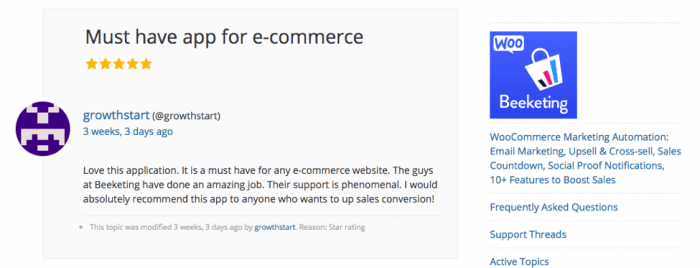
 We’re living in an age when Artificial Intelligence (AI) and Machine Learning are emerging as underlying advanced techniques that replace repetitive manual jobs with smart automation. In eCommerce, marketing automation nowadays is definitely where brands pick up. Beeketing for WooCommerce plugin was built from that idea and is now a must-have marketing automation tool to supercharge sales growth for WooCommerce businesses.
Once you install Beeketing plugin into your WooCommerce store, you will get access to all these powerful features:
We’re living in an age when Artificial Intelligence (AI) and Machine Learning are emerging as underlying advanced techniques that replace repetitive manual jobs with smart automation. In eCommerce, marketing automation nowadays is definitely where brands pick up. Beeketing for WooCommerce plugin was built from that idea and is now a must-have marketing automation tool to supercharge sales growth for WooCommerce businesses.
Once you install Beeketing plugin into your WooCommerce store, you will get access to all these powerful features:
 More Info & Download
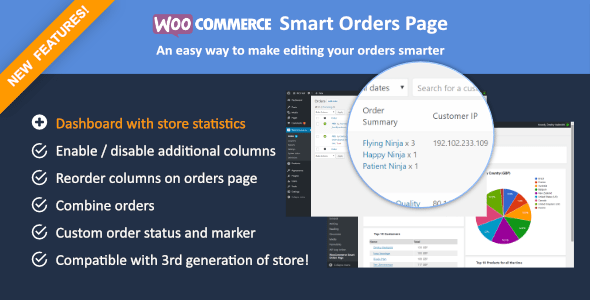 With the release of Woocommerce 3.0, the admin orders page is being optimized for performance and missing some important columns. WooCommerce smart orders page adds additional columns to orders page so admin and sales staff can manage orders and their stores easily.
More Info & Download
With the release of Woocommerce 3.0, the admin orders page is being optimized for performance and missing some important columns. WooCommerce smart orders page adds additional columns to orders page so admin and sales staff can manage orders and their stores easily.
More Info & Download
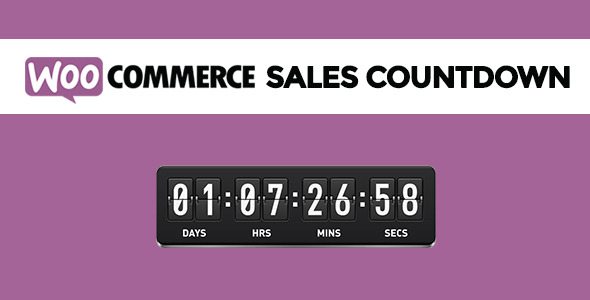 WooCommerce Sales Countdown is a wonderful WordPress marketing plugin to promote your sale campaigns in WooCommerce & eCommerce WordPress Theme and to boost your store’s sales. A countdown box with the product on sale is shown to tell your customers how much time is remaining to purchase the product with a discount. Counting time till the up-coming sale period also can be made with the WooCommerce Sales Countdown.
I put this wonderful Woocommerce Sales Countdown as one of the best WooCommerce plugins for marketing because it is lightweight core and optimized for the best performance. With options right inside the WooCommerce setting area, you can easily configure this WordPress marketing plugin. The WooCommerce Sales Countdown is fully compatible with any WordPress WooCommerce theme.
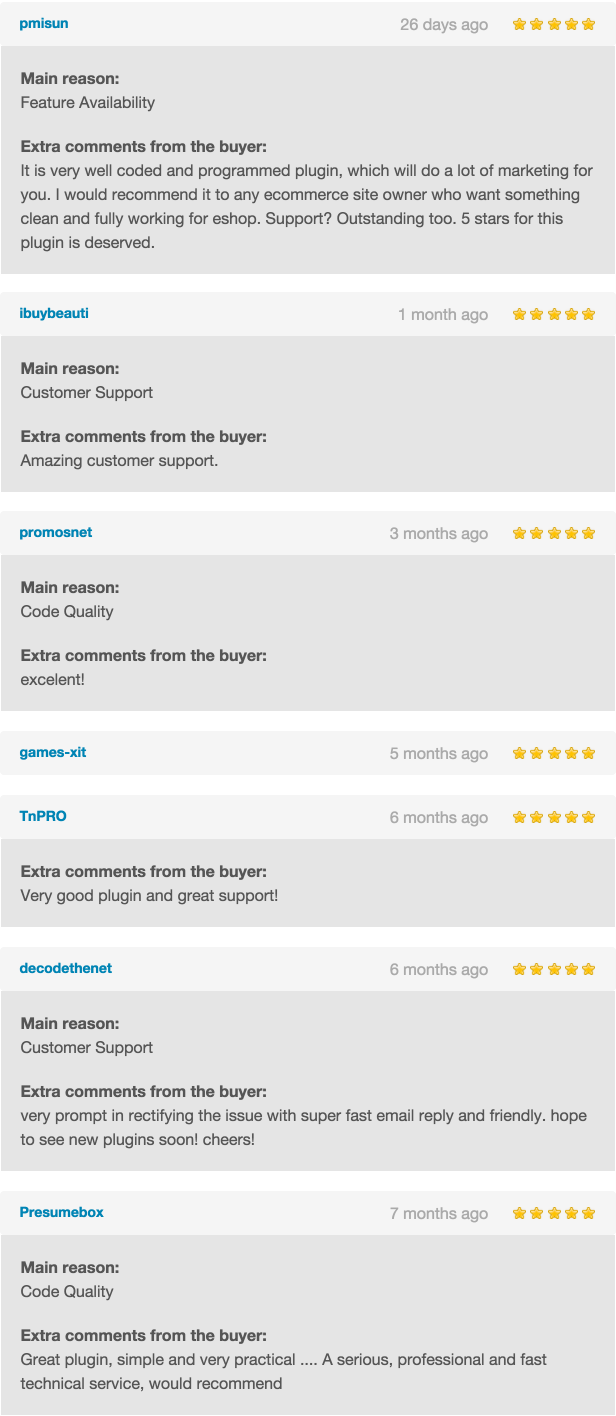
It is a big failure if I do not mention about the top-notch quality of customer support which ThimPress is offering to their customers. All issues and inquiries are quickly handled in a friendly manner. 16$, 433 sales, 120 comments, 4.19/16 average buyer ratings are clear proof to show this WordPress marketing plugin is one of the best WooCommerce plugins for marketing. And now, let’s see how customers are talking about WooCommerce Sales Countdown.
WooCommerce Sales Countdown is a wonderful WordPress marketing plugin to promote your sale campaigns in WooCommerce & eCommerce WordPress Theme and to boost your store’s sales. A countdown box with the product on sale is shown to tell your customers how much time is remaining to purchase the product with a discount. Counting time till the up-coming sale period also can be made with the WooCommerce Sales Countdown.
I put this wonderful Woocommerce Sales Countdown as one of the best WooCommerce plugins for marketing because it is lightweight core and optimized for the best performance. With options right inside the WooCommerce setting area, you can easily configure this WordPress marketing plugin. The WooCommerce Sales Countdown is fully compatible with any WordPress WooCommerce theme.
It is a big failure if I do not mention about the top-notch quality of customer support which ThimPress is offering to their customers. All issues and inquiries are quickly handled in a friendly manner. 16$, 433 sales, 120 comments, 4.19/16 average buyer ratings are clear proof to show this WordPress marketing plugin is one of the best WooCommerce plugins for marketing. And now, let’s see how customers are talking about WooCommerce Sales Countdown.
 More Info & Download
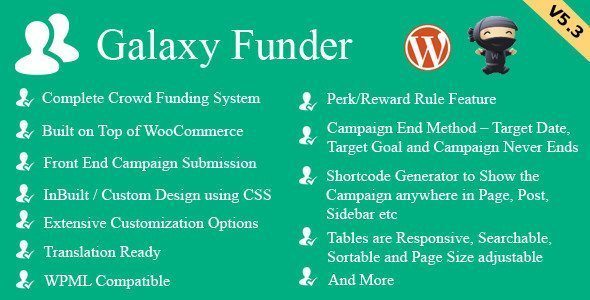 Galaxy Funder also is put in this list of best WooCommerce plugins for marketing. It is built on top of WooCommerce with complete, powerful and rich features: front end campaign submission for members; back-end campaign creation for moderators; mailing options for campaign submission, approval, rejection, deletion, and completion, contributor table as per admin settings can be shown in each campaign; responsive, searchable, sortable tables and page size adjustable; contribution by PayPal; PayPal adaptive split payment gateway so on and so on.
This WordPress marketing plugin is used to run your own crowdfunding site or add the Campaigns for crowdfunding on top of your existing WooCommerce shop. Each campaign creation is similar to creating a WooCommerce simple product. In the simple product page, you have the option to Enable Galaxy Funder which when checked ON will turn the simple product into a crowdfunding campaign.
There are two types of crowdfunding campaigns in Galaxy Funder: fundraising by crowdFunding – a regular type of running a crowdfunding campaign for raising funds; product purchase by crowdfunding - to create a crowdfunding campaign for buyers who want to buy some products but they do not have enough money. The buyer can then promote the campaign with his/her friends for funding. Once the target amount is reached then the products are automatically added to the campaign creator’s My Account purchases.
Galaxy Funder is becoming a successful WordPress marketing plugin with 327 sales, 197 comments, 4.12/24 average buyer rating.
More Info & Download
Galaxy Funder also is put in this list of best WooCommerce plugins for marketing. It is built on top of WooCommerce with complete, powerful and rich features: front end campaign submission for members; back-end campaign creation for moderators; mailing options for campaign submission, approval, rejection, deletion, and completion, contributor table as per admin settings can be shown in each campaign; responsive, searchable, sortable tables and page size adjustable; contribution by PayPal; PayPal adaptive split payment gateway so on and so on.
This WordPress marketing plugin is used to run your own crowdfunding site or add the Campaigns for crowdfunding on top of your existing WooCommerce shop. Each campaign creation is similar to creating a WooCommerce simple product. In the simple product page, you have the option to Enable Galaxy Funder which when checked ON will turn the simple product into a crowdfunding campaign.
There are two types of crowdfunding campaigns in Galaxy Funder: fundraising by crowdFunding – a regular type of running a crowdfunding campaign for raising funds; product purchase by crowdfunding - to create a crowdfunding campaign for buyers who want to buy some products but they do not have enough money. The buyer can then promote the campaign with his/her friends for funding. Once the target amount is reached then the products are automatically added to the campaign creator’s My Account purchases.
Galaxy Funder is becoming a successful WordPress marketing plugin with 327 sales, 197 comments, 4.12/24 average buyer rating.
More Info & Download
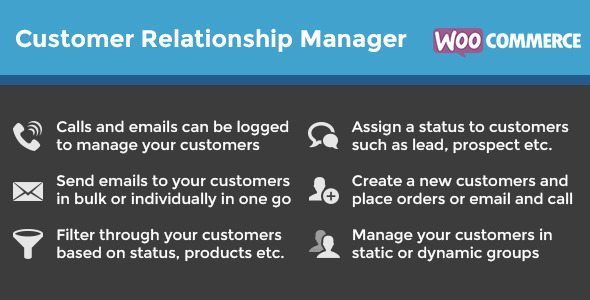 WooCommerce Customer Relationships Manager is an affordable CRM to extend the existing customer features of WooCommerce to manage ongoing relationships and get more future sales easier. With this WordPress marketing plugin, you can show customer information in one location, show total # of purchases, and total purchase value, one-click to see orders filtered by that user's email, export clients into a CSV file, import customers to manage the relationship between sales team & customers, customer notes, email clients (with customizable direct emails), even make calls from the WordPress admin that can use in the Restaurant WordPress Theme, assign a status to customers such as lead, prospect…
The sales amount of WooCommerce Customer Relationships Manager is a dream for all WordPress developers. With 1616 sales, 611 comments, 4.59/ 56 average buyer rating, this plugin is worthy for you to pay and think as one of the best WooCommerce plugins for marketing.
More Info & Download
WooCommerce Customer Relationships Manager is an affordable CRM to extend the existing customer features of WooCommerce to manage ongoing relationships and get more future sales easier. With this WordPress marketing plugin, you can show customer information in one location, show total # of purchases, and total purchase value, one-click to see orders filtered by that user's email, export clients into a CSV file, import customers to manage the relationship between sales team & customers, customer notes, email clients (with customizable direct emails), even make calls from the WordPress admin that can use in the Restaurant WordPress Theme, assign a status to customers such as lead, prospect…
The sales amount of WooCommerce Customer Relationships Manager is a dream for all WordPress developers. With 1616 sales, 611 comments, 4.59/ 56 average buyer rating, this plugin is worthy for you to pay and think as one of the best WooCommerce plugins for marketing.
More Info & Download
 WooWaitlist is a wise marketing method to keep your potential customers as regular and permanent ones. This WordPress marketing plugin is built to send email alerts to subscribers when the product is back in stock. Once visitors notice an item is out of stock, they can register to receive a notification when that item is arriving. It really saves your time and your customers’ time. The client waitlist can be shown on their profile page using a shortcode. You also can export the waitlist subscription to a CSV file and use it for your marketing plan or strategy. When visitors and users do not want to receive at all, they can easily unsubscribe from the list, directly from emails received or using the shortcode.
WooWaitlist is one of best WooCommerce plugins for marketing because it provides a wide range of outstanding features such as Plug and Play; tabbed and Easy to Use Backend Interface; supports all WooCommerce Product Types; WooWaitlist data and settings can be saved in any case of removing the plugin from the website; enable or disable access to the plugin for Shop Managers; email template for sending the Subscription and Back in Stock Notifications… WooWaitlist is having 472 sales, 120 comments, highest average buyer rating of 4.67/33.
More info & Download
WooWaitlist is a wise marketing method to keep your potential customers as regular and permanent ones. This WordPress marketing plugin is built to send email alerts to subscribers when the product is back in stock. Once visitors notice an item is out of stock, they can register to receive a notification when that item is arriving. It really saves your time and your customers’ time. The client waitlist can be shown on their profile page using a shortcode. You also can export the waitlist subscription to a CSV file and use it for your marketing plan or strategy. When visitors and users do not want to receive at all, they can easily unsubscribe from the list, directly from emails received or using the shortcode.
WooWaitlist is one of best WooCommerce plugins for marketing because it provides a wide range of outstanding features such as Plug and Play; tabbed and Easy to Use Backend Interface; supports all WooCommerce Product Types; WooWaitlist data and settings can be saved in any case of removing the plugin from the website; enable or disable access to the plugin for Shop Managers; email template for sending the Subscription and Back in Stock Notifications… WooWaitlist is having 472 sales, 120 comments, highest average buyer rating of 4.67/33.
More info & Download
 WooCommerce Amazon Affiliates is a WordPress marketing plugin to set up an affiliate site and import products from Amazon. You advertise Amazon products on your WooCommerce website and then earn advertising fees from qualifying purchases. The 90 days cookie feature can let you receive advertising fees from all products which your visitors buy, visit, not just the products you advertise. When products are no longer available on Amazon, it will automatically remove from your site.
We called WooCommerce Amazon Affiliates as best of the best WooCommerce plugins for marketing because of its outstanding features: excellent on-page optimization, great SEO content, ultra-fast import system, custom AA – team framework, module manager, very easy to use, advanced search & bulk import module, CSV module, ASIN, on-site cart… WooCommerce Amazon Affiliates is having a huge sale amount with 6600 sales, more than 2000 comments, and 4.50 average buyer ratings in CodeCanyon.
More Info & Download
WooCommerce Amazon Affiliates is a WordPress marketing plugin to set up an affiliate site and import products from Amazon. You advertise Amazon products on your WooCommerce website and then earn advertising fees from qualifying purchases. The 90 days cookie feature can let you receive advertising fees from all products which your visitors buy, visit, not just the products you advertise. When products are no longer available on Amazon, it will automatically remove from your site.
We called WooCommerce Amazon Affiliates as best of the best WooCommerce plugins for marketing because of its outstanding features: excellent on-page optimization, great SEO content, ultra-fast import system, custom AA – team framework, module manager, very easy to use, advanced search & bulk import module, CSV module, ASIN, on-site cart… WooCommerce Amazon Affiliates is having a huge sale amount with 6600 sales, more than 2000 comments, and 4.50 average buyer ratings in CodeCanyon.
More Info & Download
 One of the best and proven ways to boost sales in an online store is to provide coupons. Customers really appreciate it when they can save some money when they are purchasing something. Coupons also compel them to buy something that they would otherwise consider buying later.
Built-in coupon features in WooCommerce is sufficient when you have a small store, but if you really want to get the attention of your customers and provide them with custom coupons and different kinds of offers, then you will have to get a WooCommerce Coupon plugin.
Smart Coupons for WooCommerce is one of the best and user-friendly WooCommecre coupon plugin that will help you with creating creative coupons on your website. The plugin not only helps in creating coupons but also has some other features in store that will help you as a store owner win the hearts of customers.
The plugin will help you create store credits, that the users can avail for themselves or better yet, gift it to their friends or relatives. And when you want to reward your customers with other products for purchasing products in your store, you can create give-away products associated with certain the purchase of certain other products in your store.
The plugin also helps you to create a sense of emergency for the customers so that they make the purchase fast. For this, you can create a coupon that will only be available for a certain period of time and set a countdown timer on your website.
And, you also get some other coupon management features like import and export of the coupons and restricting coupons for certain conditions like the checkout options for the users.
The fact that you can purchase this plugin with a 30-day money-back guarantee and an expert support team to attend to any of your questions is a good reason to go for this plugin.
More Info & Download
One of the best and proven ways to boost sales in an online store is to provide coupons. Customers really appreciate it when they can save some money when they are purchasing something. Coupons also compel them to buy something that they would otherwise consider buying later.
Built-in coupon features in WooCommerce is sufficient when you have a small store, but if you really want to get the attention of your customers and provide them with custom coupons and different kinds of offers, then you will have to get a WooCommerce Coupon plugin.
Smart Coupons for WooCommerce is one of the best and user-friendly WooCommecre coupon plugin that will help you with creating creative coupons on your website. The plugin not only helps in creating coupons but also has some other features in store that will help you as a store owner win the hearts of customers.
The plugin will help you create store credits, that the users can avail for themselves or better yet, gift it to their friends or relatives. And when you want to reward your customers with other products for purchasing products in your store, you can create give-away products associated with certain the purchase of certain other products in your store.
The plugin also helps you to create a sense of emergency for the customers so that they make the purchase fast. For this, you can create a coupon that will only be available for a certain period of time and set a countdown timer on your website.
And, you also get some other coupon management features like import and export of the coupons and restricting coupons for certain conditions like the checkout options for the users.
The fact that you can purchase this plugin with a 30-day money-back guarantee and an expert support team to attend to any of your questions is a good reason to go for this plugin.
More Info & Download
Best WooCommerce Plugins for Marketing 2017
1. WooCommerce Marketing Automation by Beeketing
We’re living in an age when Artificial Intelligence (AI) and Machine Learning are emerging as underlying advanced techniques that replace repetitive manual jobs with smart automation. In eCommerce, marketing automation nowadays is definitely where brands pick up. Beeketing for WooCommerce plugin was built from that idea and is now a must-have marketing automation tool to supercharge sales growth for WooCommerce businesses.
Once you install Beeketing plugin into your WooCommerce store, you will get access to all these powerful features:
- Upsell & Cross-sell to increase average order values
- Give away free gifts, discount, free shipping to boost checkout rate and prevent cart abandonment
- Automated email marketing with deep customer segmentation to recover abandoned carts & turn customers into loyal fans
- Personalized product recommendations suggest to customers what they highly likely want to buy
- Recent sales notifications, Sales Countdown, Low-stock Indicator to create the sense of a busy store and strong social proof on your brand’s authenticity
- Mobile web optimization widgets to increase conversion and sales from mobile web visitors
- Facebook live chat to support customers via Messenger accounts right on the storefront
- Welcome coupon popups to convert visitors into email subscribers, social followers, and motivate them to start buying
- Web push notifications to convert abandoned carts
- ….and many more features are added regularly.
More Info & Download
2. Woocommerce Smart Orders Page
With the release of Woocommerce 3.0, the admin orders page is being optimized for performance and missing some important columns. WooCommerce smart orders page adds additional columns to orders page so admin and sales staff can manage orders and their stores easily.
More Info & Download
3. WooCommerce Sales Countdown
WooCommerce Sales Countdown is a wonderful WordPress marketing plugin to promote your sale campaigns in WooCommerce & eCommerce WordPress Theme and to boost your store’s sales. A countdown box with the product on sale is shown to tell your customers how much time is remaining to purchase the product with a discount. Counting time till the up-coming sale period also can be made with the WooCommerce Sales Countdown.
I put this wonderful Woocommerce Sales Countdown as one of the best WooCommerce plugins for marketing because it is lightweight core and optimized for the best performance. With options right inside the WooCommerce setting area, you can easily configure this WordPress marketing plugin. The WooCommerce Sales Countdown is fully compatible with any WordPress WooCommerce theme.
It is a big failure if I do not mention about the top-notch quality of customer support which ThimPress is offering to their customers. All issues and inquiries are quickly handled in a friendly manner. 16$, 433 sales, 120 comments, 4.19/16 average buyer ratings are clear proof to show this WordPress marketing plugin is one of the best WooCommerce plugins for marketing. And now, let’s see how customers are talking about WooCommerce Sales Countdown.
More Info & Download
4. WooCommerce PDF Vouchers
Woocommerce PDF Vouchers - one of the best WooCommerce plugins for marketing is a perfect selection for stores to sell tickets for events, discount codes for on-site pickup, class admission tickets… In case, Woocommerce PDF Vouchers is given as a gift, your customers can themselves set a recipient name, email, and message… Woocommerce PDF Vouchers is a powerful WordPress marketing plugin because you can generate unlimited unique codes without the need to provide them, import codes via CSV, restrict codes to be used only one time, use codes unlimited times, export a list of all purchased voucher codes as PDF and CSV as well… more than that you can create unlimited voucher templates with Drag & Drop interface for local businesses / local stores or even online stores, assign vendor users to the voucher. Especially, with a clean & user-friendly admin UI, you can easily create and manage all vouchers. Currently, WooCommerce PDF Vouchers has 552 sales, 165 comments, 4.89/28 average buyer rating. It is now a trending of searching on CodeCanyon and is considered as one of the best WooCommerce plugins for marketing implemented on WordPress WooCommerce theme. More Info & Download5. Galaxy Funder - WooCommerce Crowdfunding System
Galaxy Funder also is put in this list of best WooCommerce plugins for marketing. It is built on top of WooCommerce with complete, powerful and rich features: front end campaign submission for members; back-end campaign creation for moderators; mailing options for campaign submission, approval, rejection, deletion, and completion, contributor table as per admin settings can be shown in each campaign; responsive, searchable, sortable tables and page size adjustable; contribution by PayPal; PayPal adaptive split payment gateway so on and so on.
This WordPress marketing plugin is used to run your own crowdfunding site or add the Campaigns for crowdfunding on top of your existing WooCommerce shop. Each campaign creation is similar to creating a WooCommerce simple product. In the simple product page, you have the option to Enable Galaxy Funder which when checked ON will turn the simple product into a crowdfunding campaign.
There are two types of crowdfunding campaigns in Galaxy Funder: fundraising by crowdFunding – a regular type of running a crowdfunding campaign for raising funds; product purchase by crowdfunding - to create a crowdfunding campaign for buyers who want to buy some products but they do not have enough money. The buyer can then promote the campaign with his/her friends for funding. Once the target amount is reached then the products are automatically added to the campaign creator’s My Account purchases.
Galaxy Funder is becoming a successful WordPress marketing plugin with 327 sales, 197 comments, 4.12/24 average buyer rating.
More Info & Download
6. WooCommerce Customer Relationship Manager
WooCommerce Customer Relationships Manager is an affordable CRM to extend the existing customer features of WooCommerce to manage ongoing relationships and get more future sales easier. With this WordPress marketing plugin, you can show customer information in one location, show total # of purchases, and total purchase value, one-click to see orders filtered by that user's email, export clients into a CSV file, import customers to manage the relationship between sales team & customers, customer notes, email clients (with customizable direct emails), even make calls from the WordPress admin that can use in the Restaurant WordPress Theme, assign a status to customers such as lead, prospect…
The sales amount of WooCommerce Customer Relationships Manager is a dream for all WordPress developers. With 1616 sales, 611 comments, 4.59/ 56 average buyer rating, this plugin is worthy for you to pay and think as one of the best WooCommerce plugins for marketing.
More Info & Download
7. WooWaitlist, Back In Stock Notifier for WooCommerce
WooWaitlist is a wise marketing method to keep your potential customers as regular and permanent ones. This WordPress marketing plugin is built to send email alerts to subscribers when the product is back in stock. Once visitors notice an item is out of stock, they can register to receive a notification when that item is arriving. It really saves your time and your customers’ time. The client waitlist can be shown on their profile page using a shortcode. You also can export the waitlist subscription to a CSV file and use it for your marketing plan or strategy. When visitors and users do not want to receive at all, they can easily unsubscribe from the list, directly from emails received or using the shortcode.
WooWaitlist is one of best WooCommerce plugins for marketing because it provides a wide range of outstanding features such as Plug and Play; tabbed and Easy to Use Backend Interface; supports all WooCommerce Product Types; WooWaitlist data and settings can be saved in any case of removing the plugin from the website; enable or disable access to the plugin for Shop Managers; email template for sending the Subscription and Back in Stock Notifications… WooWaitlist is having 472 sales, 120 comments, highest average buyer rating of 4.67/33.
More info & Download
8. WooCommerce Amazon Affiliates
WooCommerce Amazon Affiliates is a WordPress marketing plugin to set up an affiliate site and import products from Amazon. You advertise Amazon products on your WooCommerce website and then earn advertising fees from qualifying purchases. The 90 days cookie feature can let you receive advertising fees from all products which your visitors buy, visit, not just the products you advertise. When products are no longer available on Amazon, it will automatically remove from your site.
We called WooCommerce Amazon Affiliates as best of the best WooCommerce plugins for marketing because of its outstanding features: excellent on-page optimization, great SEO content, ultra-fast import system, custom AA – team framework, module manager, very easy to use, advanced search & bulk import module, CSV module, ASIN, on-site cart… WooCommerce Amazon Affiliates is having a huge sale amount with 6600 sales, more than 2000 comments, and 4.50 average buyer ratings in CodeCanyon.
More Info & Download
9. Smart Coupons for WooCommerce
One of the best and proven ways to boost sales in an online store is to provide coupons. Customers really appreciate it when they can save some money when they are purchasing something. Coupons also compel them to buy something that they would otherwise consider buying later.
Built-in coupon features in WooCommerce is sufficient when you have a small store, but if you really want to get the attention of your customers and provide them with custom coupons and different kinds of offers, then you will have to get a WooCommerce Coupon plugin.
Smart Coupons for WooCommerce is one of the best and user-friendly WooCommecre coupon plugin that will help you with creating creative coupons on your website. The plugin not only helps in creating coupons but also has some other features in store that will help you as a store owner win the hearts of customers.
The plugin will help you create store credits, that the users can avail for themselves or better yet, gift it to their friends or relatives. And when you want to reward your customers with other products for purchasing products in your store, you can create give-away products associated with certain the purchase of certain other products in your store.
The plugin also helps you to create a sense of emergency for the customers so that they make the purchase fast. For this, you can create a coupon that will only be available for a certain period of time and set a countdown timer on your website.
And, you also get some other coupon management features like import and export of the coupons and restricting coupons for certain conditions like the checkout options for the users.
The fact that you can purchase this plugin with a 30-day money-back guarantee and an expert support team to attend to any of your questions is a good reason to go for this plugin.
More Info & Download
About Online Marketing
Why is marketing a need for an online business?
Targeting customers of the online business are on a national scale or even international scale because currently there are 7 billion internet users all over the world. How do you make people aware of your business? The most effective way is marketing cause it can get potential customers known about your product and your brand name, increase sale result, boost company reputation, and improve healthy competition for your company.What is online marketing?
Online marketing is an action, system, a set of powerful tools or methods to promote products or services through the internet channel.Implementing online marketing on WordPress site
Online marketing is implemented variously on WordPress site depending on business requirements. It combines the internet’s creative with technical tools to bring WordPress sites to a higher level. Marketing here can be WooCommerce, e-Commerce, customer relations support system, email system, sales program, or affiliate marketing… From this information, herewith I would like to give you a list of best WooCommerce plugins for online marketing which is under the trending searching on CodeCanyon. The criteria to evaluate them as best WooCommerce plugins for online marketing 2015 are based on their features, sales amount, good rating, and comments for them.Your WooCommerce Best Plugins
Online marketing for WordPress sites is very important. I do hope that my list of best WooCommerce Plugins for marketing 2017 will help you something in implementing your marketing plans or strategies:- WooCommerce Sales Countdown for your sales campaigns
- Woocommerce PDF Vouchers for selling event tickets, discount codes
- Galaxy Funder - a crowdfunding system
- WooCommerce Customer Relationships Manager - a customer relationship system
- WooWaitlist - a Back In Stock Notifier and WooCommerce Amazon Affiliates - to set up an affiliate site and import products from Amazon.












Responses (7 )