

CTRSpace gives WordPress publishers a choice between a free magazine theme and a paid publishing package with niche designs and editorial tools. Its strongest case is for a publication that needs recognizable article, category and homepage layouts without assembling them from a blank canvas. A gadget review site, a newsroom and a hosting publication can all start with a layout that suits the way readers browse.
Our verdict: Shortlist CTRSpace if your site revolves around articles and you want a magazine layout that already has an editorial point of view. Start with Lite if your immediate needs are a readable homepage, categories and articles. Consider the paid package if a specific design or publishing tool saves meaningful work. Budget time to replace demo copy and confirm the features you need on your own installation.
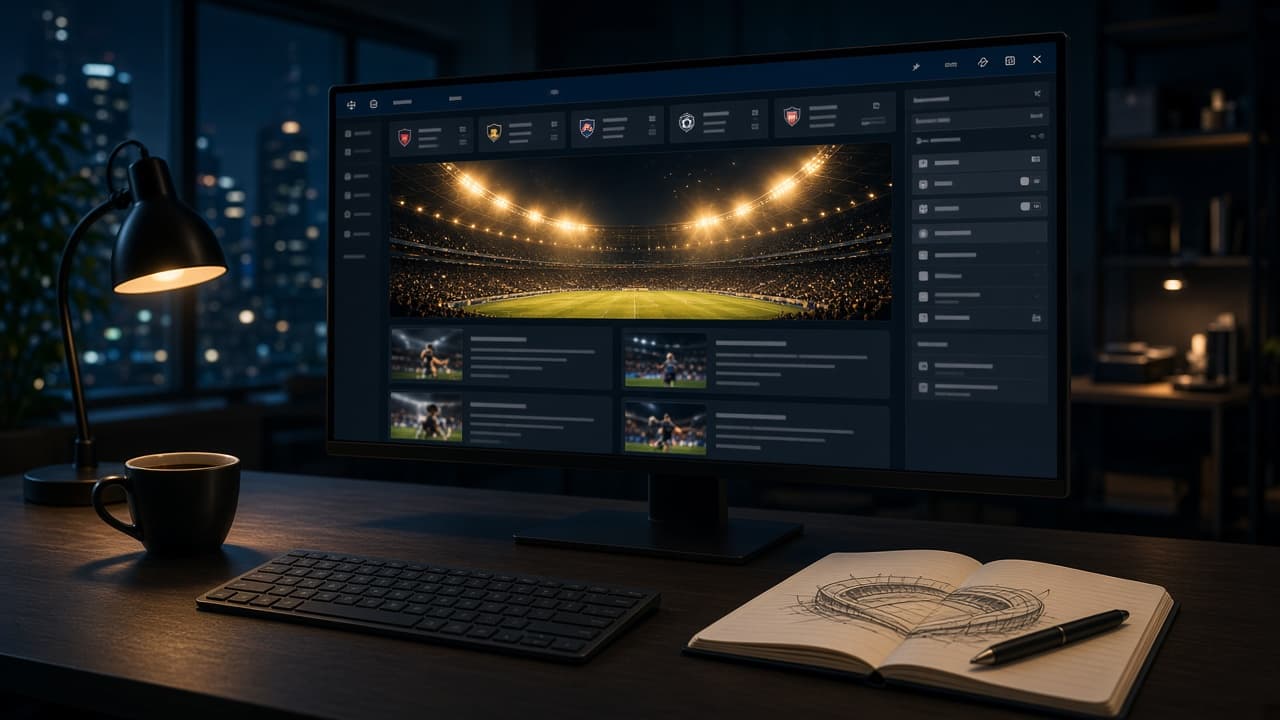
Disclosure: CTRSpace and WPArena are associated with TechAbout. WPArena tested Lite and the vendor's theme and Core source builds on its demo network. The paid style screenshots come from the vendor's live demo. The cover is an original illustration.
Open the WPArena test site · Browse the CTRSpace designs · Compare plans
What we tested
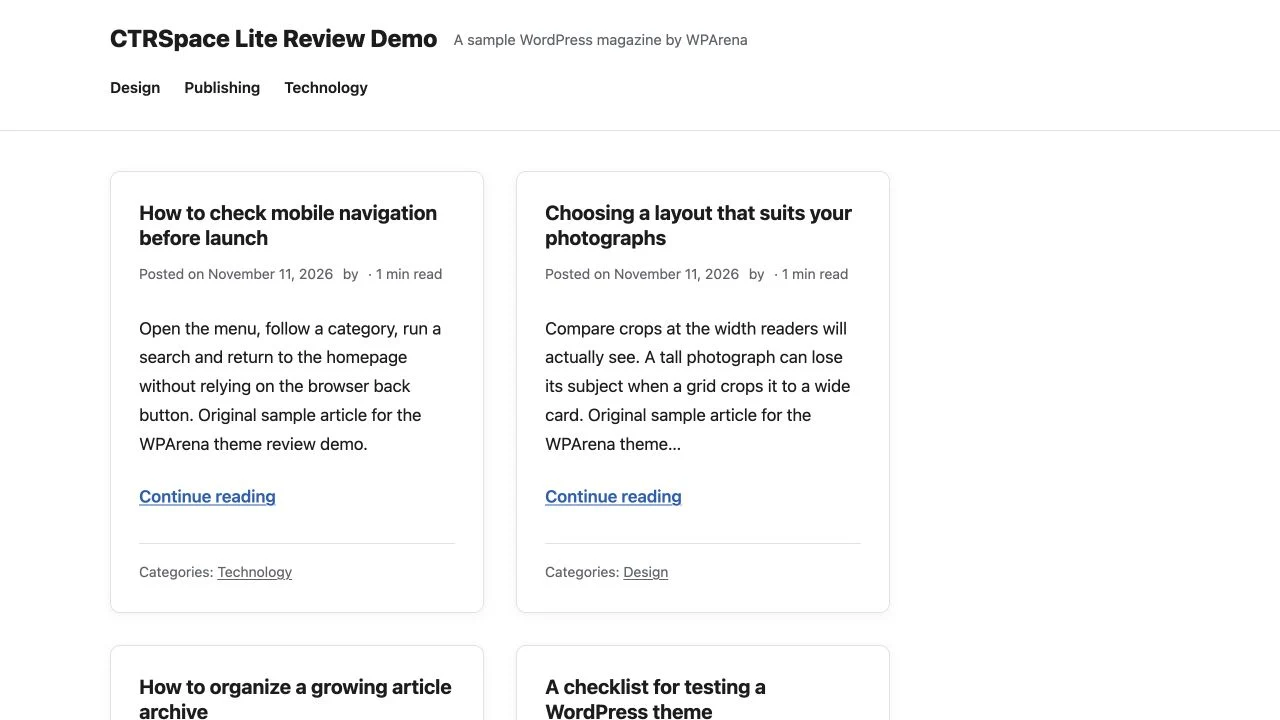
We downloaded the WordPress.org ZIP for CTRSpace Lite 3.5.1 and checked it against the theme files on WPArena's network. The files matched. We activated that edition on a dedicated subsite, added original sample posts in three categories and used its normal WordPress routes. The older CTRSpace demo at WPArena runs a separate historical theme build. The new test site is the relevant example for Lite.
We also checked the complete design picker on CTRSpace's public demo. It contained 44 entries, including the default and 43 named choices. The installation checks below cover the unlicensed Magazine style and Core features available on our demo.
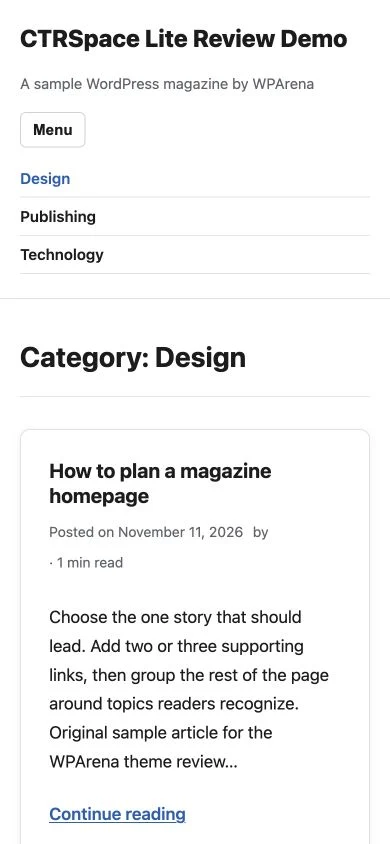
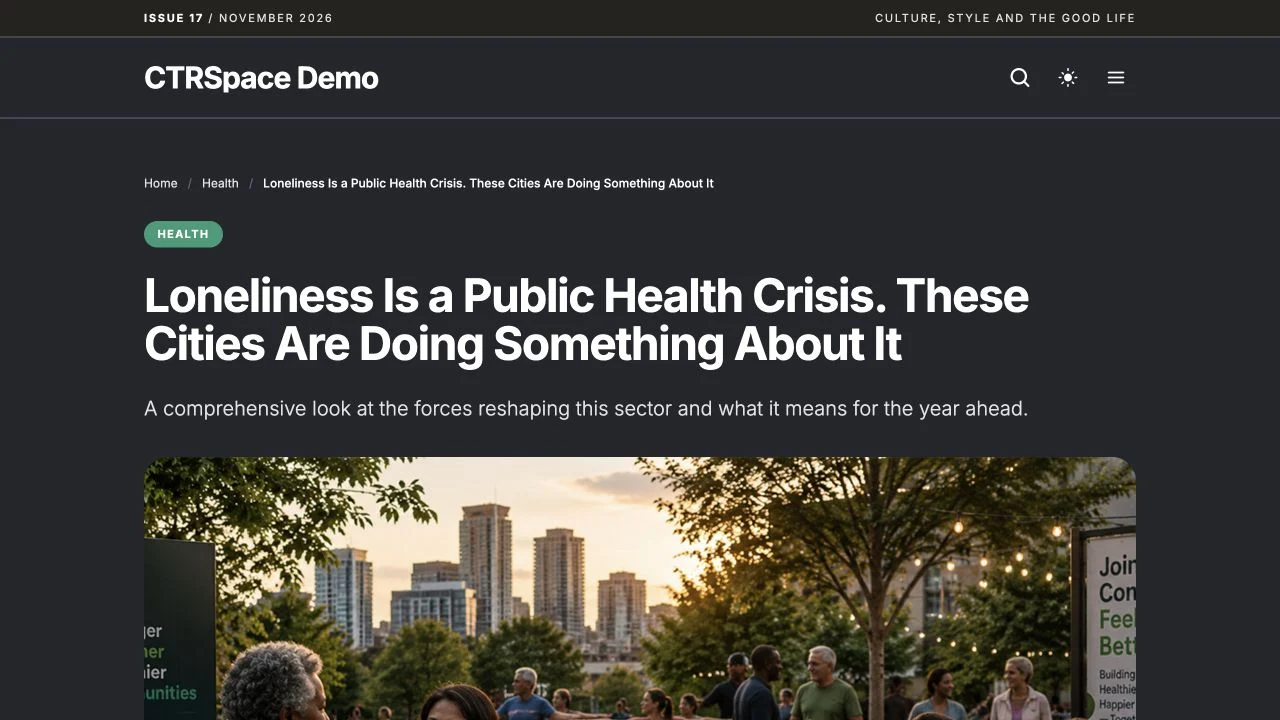
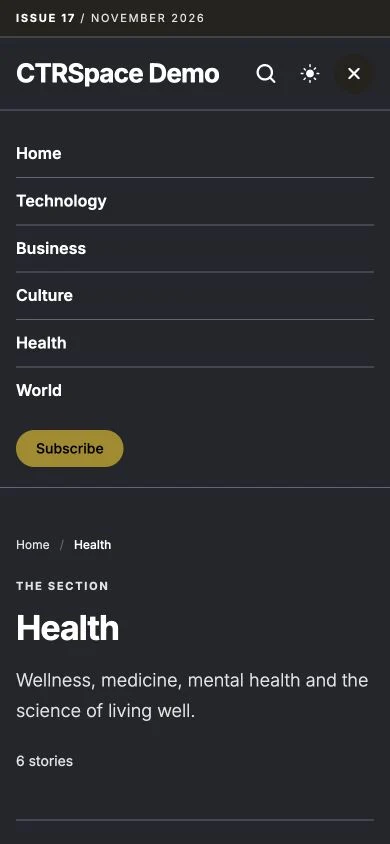
The Lite homepage showed the sample posts as readable cards without requiring featured images. We opened a single article from a card and navigated to the Design archive. At 390 pixels, the archive fit the viewport without horizontal scrolling. Its Menu button expanded and exposed the category links.
Testing the installed CTRSpace theme and Core plugin
We installed CTRSpace Theme 1.8.2 and Core 0.31.1 from ZIPs built from the vendor's source repositories. The storefront download returned an error when we checked, so the customer download and activation flow remains unverified. The WPArena installation demo runs the Magazine style. The installation reported an unlicensed state and did not expose additional paid styles.
One Click Demo Import added 37 published posts and 52 media attachments. The importer flagged one image, world-4, during the initial import. We confirmed that attachment was present after the import finished, and the lead photographs loaded on the homepage and article we checked.
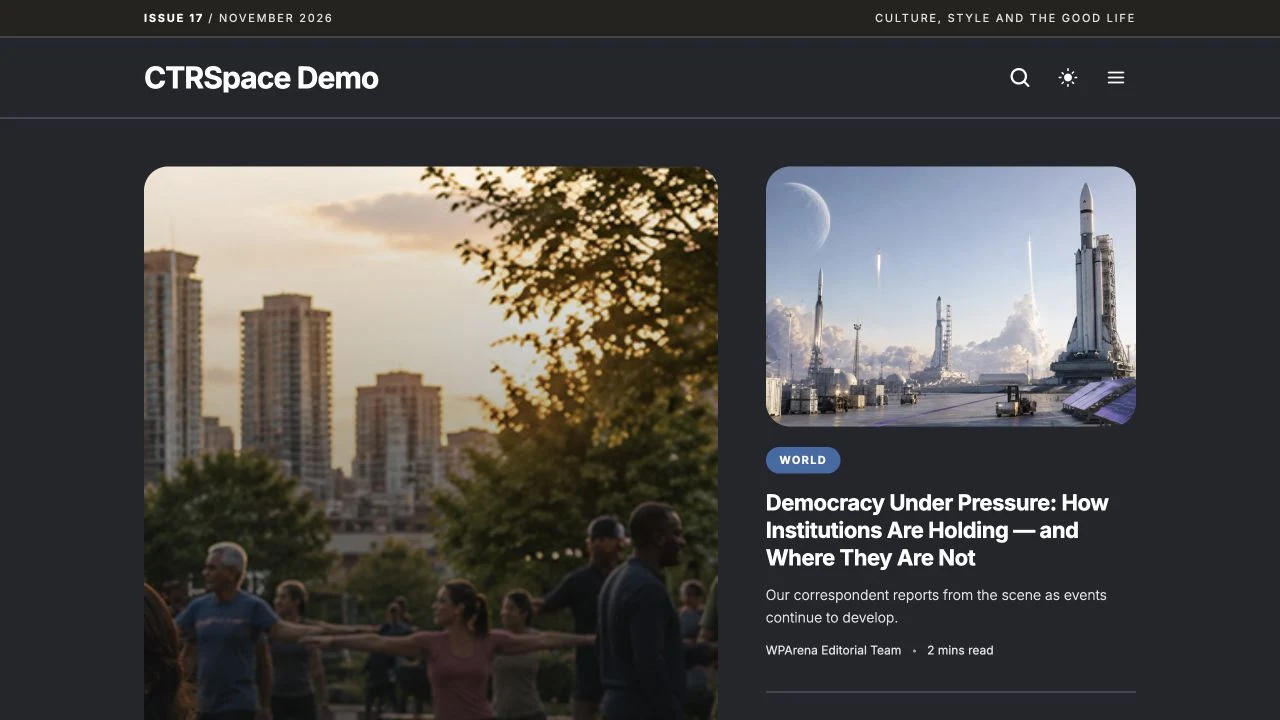
- Reader routes: The homepage, a sample article, the Health archive and search returned HTTP 200. A missing URL returned 404. Searching for “loneliness” returned the expected article, the dark-mode toggle changed the page theme, and Load more stories added three cards.
- Core output: The sample article emitted a canonical URL, Open Graph title and Article structured data. Core stored one click event and one scroll event for the sample article during the test. We turned off collection on the demo afterward.
- Mobile: At 390 pixels, our original long site title and tagline pushed the header controls beyond the viewport. After shortening the site title and clearing the tagline, the same archive fit the viewport and the navigation opened. Test your branding at phone width before launch.
A valid Pro license is still needed to verify paid style activation and Pro features such as paywalls and headline experiments. The 44 design links below point to the vendor's public previews.
What CTRSpace does well
It starts with a publication
A news homepage needs a lead story, secondary headlines, visible categories and room for the next day's coverage. A reviews publication needs large images, useful categories and room for detailed articles. CTRSpace gives you several starting points for those jobs. You can compare how a design treats the lead story and what happens lower down the page before buying.
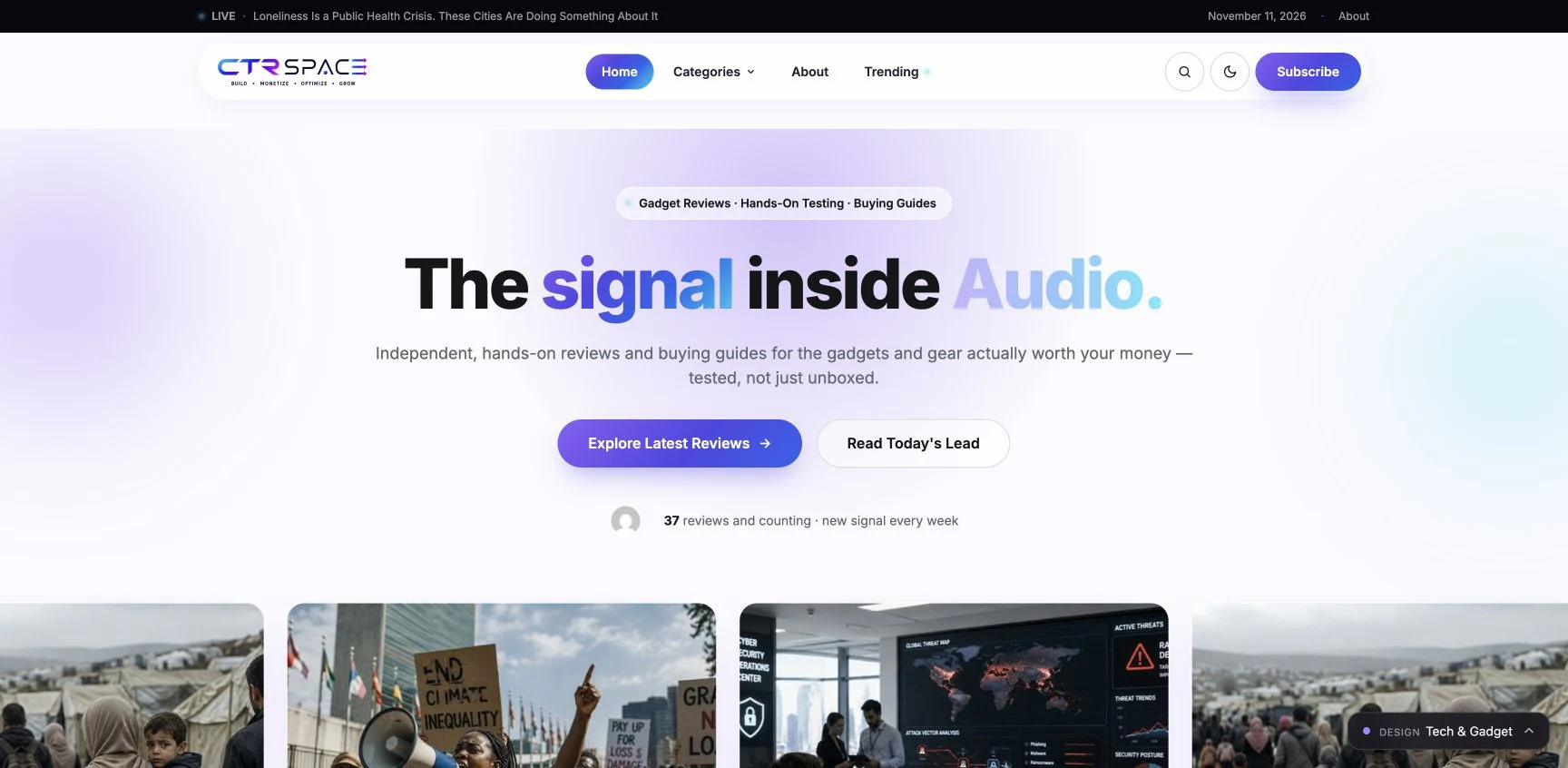
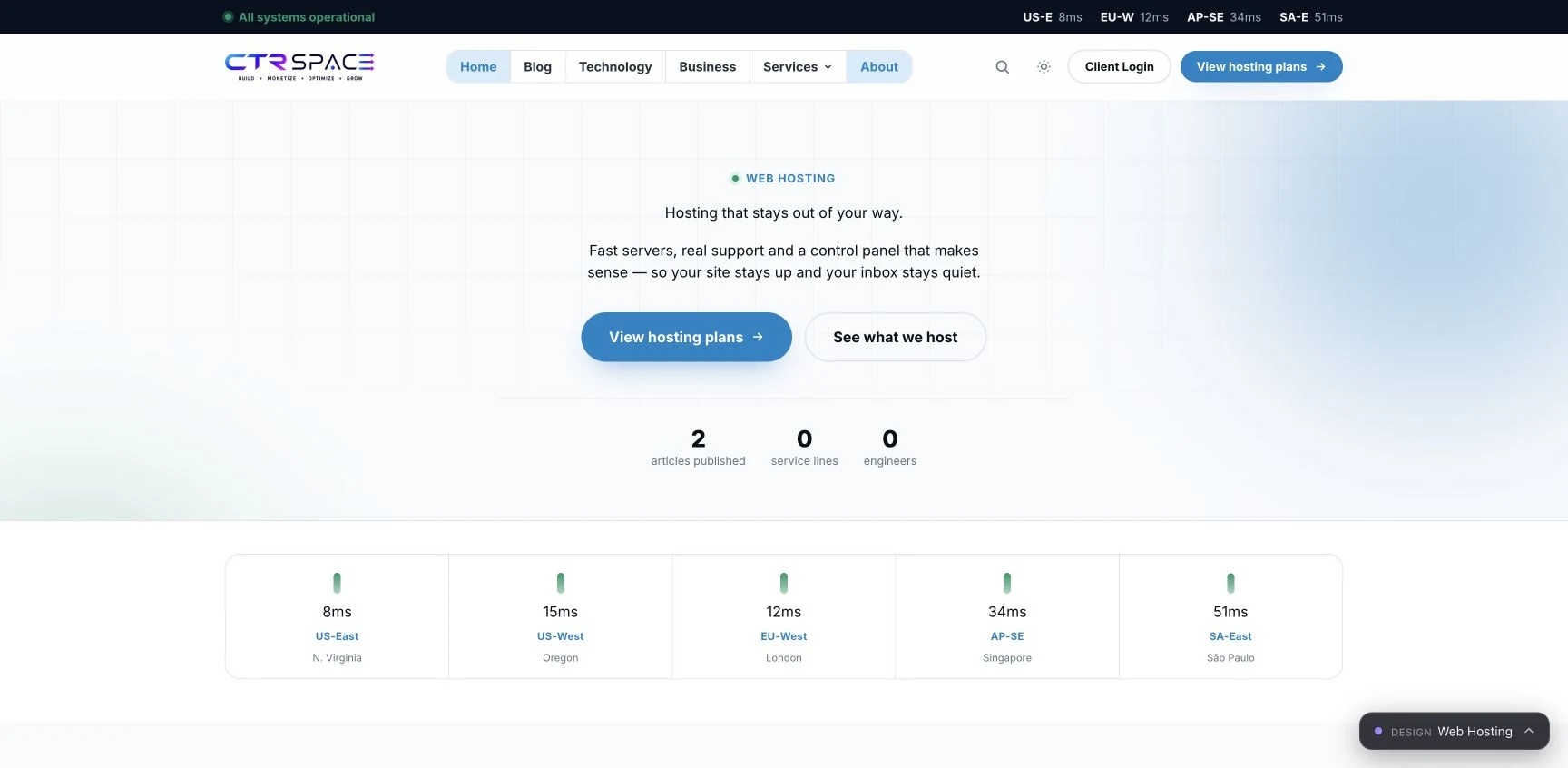
The default preview leads with a single article and a cluster of supporting stories. The Tech & Gadget preview makes a larger brand statement and places review links alongside the first screen. The Web Hosting design opens with a service-oriented headline and calls to action. Choose between these by deciding what a visitor should do first. A lead-story grid is useful when your homepage changes every day. An introduction with a prominent call to action can fit an evergreen site better.
It shows what different layouts do with the same material
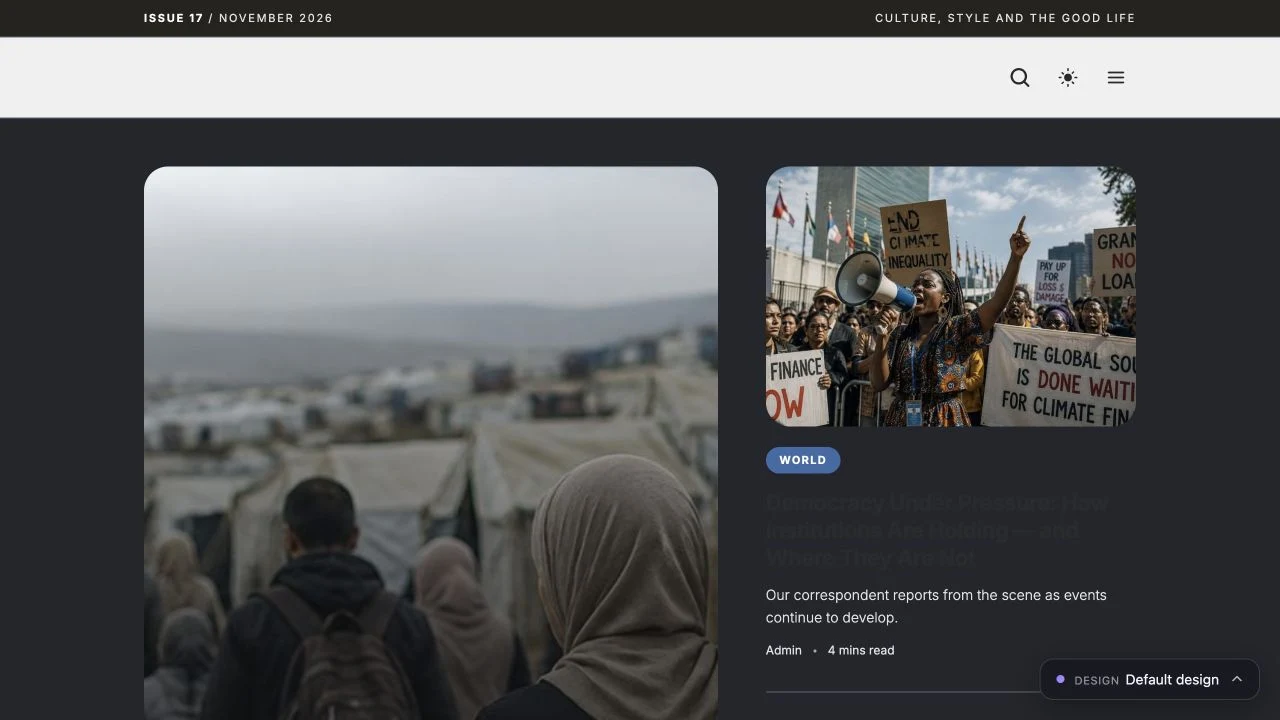
The live picker is useful because several previews share sample stories. You can see how the same material feels as a front page, a niche magazine or a more promotional landing page. The generic stories also make the limits of the preview visible. A theme can provide an attractive frame for a product review, but you still need original testing, useful category names, appropriate featured images and a consistent publishing schedule.
For example, try the Tech & Gadget and Reviews previews with a long product name and imagine the real crop of a product photo. For News or Politics, compare the compactness of the headline lists. On a hosting or agency site, inspect where the calls to action lead and whether those destinations correspond to pages you will actually maintain.
Its paid tools may reduce setup work for a publisher
CTRSpace describes built-in search metadata and social cards, ad placement rules, editor suggestions, analytics and experiments. Higher plans advertise advanced visibility reporting, paywall tools and additional experiments. An editorial team already planning to buy and configure those tools has a concrete reason to compare the package with separate plugins. Check whether the theme controls those features, where settings and data live, and what you can take with you if you later switch themes.
Use the vendor's feature overview and plan comparison to make a short list of must-have features. Ask for a walkthrough of each one before moving a production publication. A theme's design can look ready while analytics events, subscriber access, consent handling, ad inventory and AI-provider configuration still need setup.
CTRSpace Lite vs. Publisher, Pro and Network
| Edition | Listed price | Site allowance | Good starting point for |
|---|---|---|---|
| CTRSpace Lite | Free | Available through WordPress.org | An editorial site that needs the free theme and can add other functionality separately |
| Publisher | $99/year | One website and one selected site style | One publication that already knows which paid design it wants |
| Pro | $199/year | Up to three websites, all styles listed on the pricing page | A publisher comparing several layouts or considering advanced publishing tools |
| Network | $499/year | Up to ten websites, all styles listed on the pricing page | A multi-site publisher comparing the cost of managing several sites |
These were the founding rates listed on November 11, 2026. CTRSpace displays higher future prices alongside them. Check the amount billed today, the renewal terms, your site allowance and what happens to updates and support if you cancel. The 44 picker entries describe what you can preview. The pricing page advertises 43 site styles for Pro, so use the exact style name and license terms when making a purchase.
CTRSpace pricing · CTRSpace Lite on WordPress.org
All 44 CTRSpace demo designs
Each of the 44 links returned a live demo and showed the matching picker label when checked on November 11, 2026. The right column suggests what to inspect using your own content. A niche name describes a design direction. It does not establish that a specialized business function such as booking, listings, checkout, quizzes or tool search comes with the theme.
| Design | What to inspect |
|---|---|
| Default design | Compare the lead story, secondary cards and category sections. |
| Accounting | Check how services and explanatory guides share navigation. |
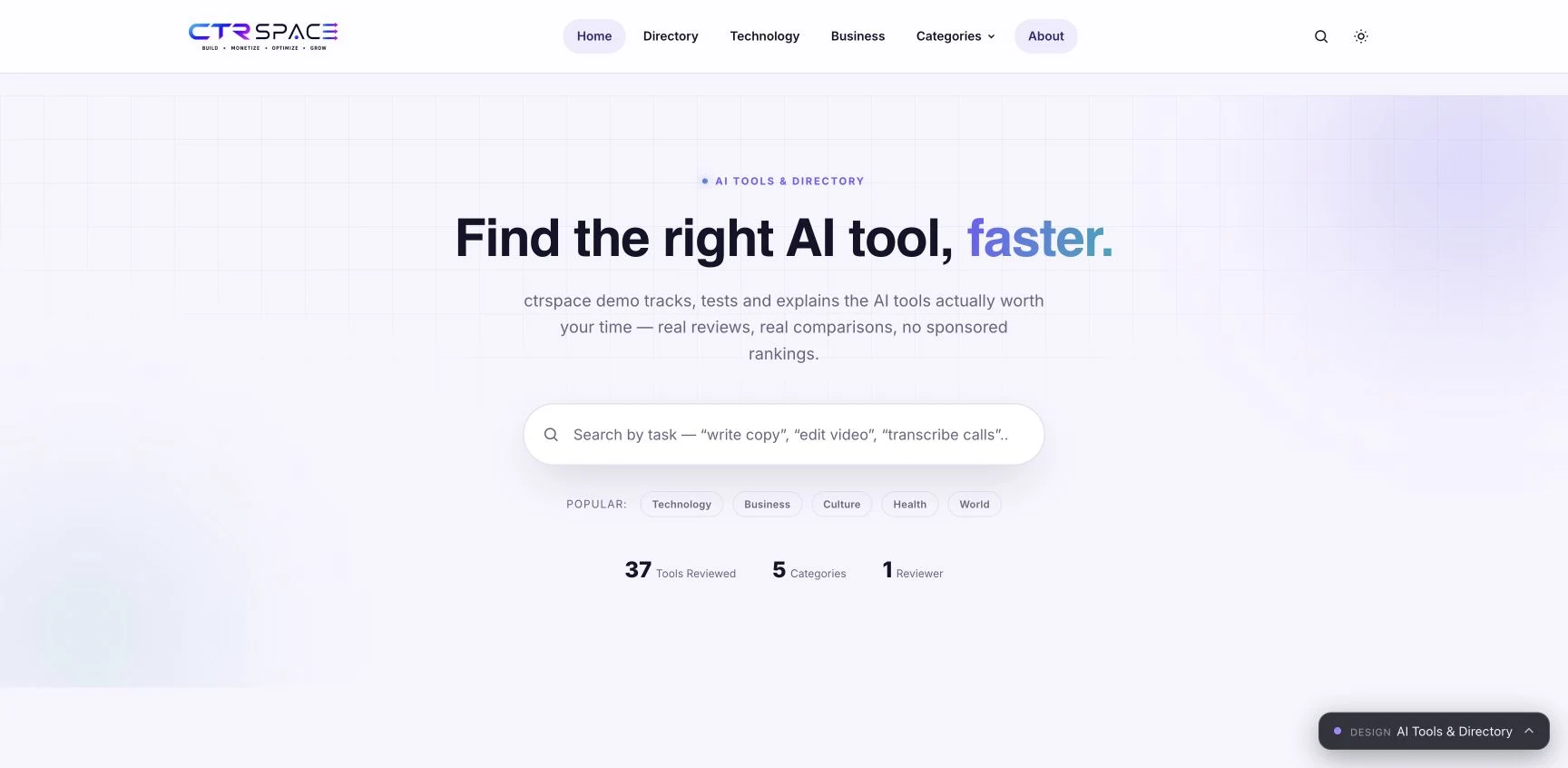
| AI Tools & Directory | Check category browsing and the first path to a tool profile. |
| Beauty & Wellness | Check photo crops and the treatment of a long review headline. |
| Blog | Use a handful of posts to check how a small archive feels. |
| Book Review | Preview a long title, cover art and the route to related books. |
| Business & Markets | Compare breaking stories with slower analysis and evergreen guides. |
| Buzz | Look at how quickly a reader can scan the next story. |
| Consulting | Check the transition from an introduction to service or enquiry pages. |
| Corporate | Test the balance between company pages and the news archive. |
| Creative Agency | Look at portfolio imagery, article cards and the first enquiry link. |
| Crypto News | Check timestamp visibility and the density of fast-moving headlines. |
| Cybersecurity | Use a long technical title and a guide with an embedded code block. |
| Deals | Check the space for the offer, expiry and merchant disclosure. |
| Digital Marketing | Compare how cases, guides and calls to action share the homepage. |
| Education | Check how lesson guides, announcements and regular stories coexist. |
| Entertainment | Try a busy story mix with photo-heavy cards. |
| Finance | Check labels and spacing on a long investment explainer. |
| Food & Recipes | Compare food photography crops and the path to a recipe article. |
| Fun Facts | Check how compact items read when the homepage holds many of them. |
| Tech & Gadget | Check the review hero, feature images and the route to a buying guide. |
| Health & Fitness | Look at how explainers and regular updates share topic categories. |
| Lifehacks | Try short tips alongside a detailed how-to with multiple steps. |
| Lifestyle | Preview varied photo proportions and the space around longer headlines. |
| Magazine | Inspect the lead feature and the hierarchy across recurring departments. |
| Movies & TV | Check tall artwork, cast lists and long entertainment headlines. |
| News | Check the top-story hierarchy and how quickly new items are discoverable. |
| Nonprofit | Check the path from impact stories to donation or volunteer information. |
| Politics | Compare the lead headline with opinion and topic pages. |
| Quiz | Check the path to a quiz and what visitors see before it starts. |
| Real Estate | Preview editorial property photos and the route to market coverage. |
| Recruitment | Check how industry articles lead to a careers or contact page. |
| Reviews | Try a long comparison and a product page without a featured image. |
| SEO Agency | Compare service introduction, search guides and enquiry navigation. |
| Software Company | Check how technical articles sit alongside product information. |
| Sports | Try long team or event names and check fast-moving headlines. |
| Technology | Check where news, guides and reviews would sit in the navigation. |
| Travel | Compare the destination-led introduction with article discovery. |
| Trending | Check whether recency and high-interest stories are easy to distinguish. |
| Vegetarian Grocery | Check how product imagery sits next to editorial and shopping links. |
| Web Hosting | Follow the primary action and inspect the route to a hosting review. |
| Wedding | Try full-width photographs and check essential information on mobile. |
| AI Chatbot | Check the introduction and the path to an actual chatbot or enquiry. |
| IT Services | Compare service pages with technical documentation and articles. |
What the demo reveals that a theme thumbnail misses
Article fit. Open a story from the chosen homepage. Check the headline, author, date, featured image, captions and related stories. A visually appealing homepage is only a small part of a publisher's workload. A good single-post layout should still read well with a long headline, a wide table, a vertical image and an unbroken link.
Navigation. A default theme preview may have just a few topics. Try a realistic category hierarchy on staging, including long labels and a section with one post. Check that a reader can open an archive, get back to the homepage and find the search control without depending on hover.
Content density. News and Magazine suit a publication with several regular sections. A new site with three articles may have a stronger first impression with Blog and a tighter menu. When comparing templates, count the stories you would actually be able to keep fresh on the front page.
Conversion paths. The Deals and hosting previews can help you evaluate how calls to action compete with editorial links. Use a real expired offer, a product with no price and a non-commercial article to check the empty states. Confirm affiliate disclosures and link behavior separately from the design.
Mobile. Check real content at phone width. Look for wide tables, titles clipped by image overlays, menu interactions, image proportions and sticky elements that cover controls. Measure performance on your site with your analytics and ads enabled. The vendor demo has its own hosting, photos, cache and plugins, so its load time cannot predict yours.

Where CTRSpace is a better fit
Compared with starting from a general-purpose theme, CTRSpace makes more decisions for a publisher up front. A home grid, category structure and article presentation give a magazine team something specific to evaluate. That is a practical advantage when the site has repeatable editorial formats. A service business that only publishes occasional articles might prefer to spend its design budget on the pages that drive enquiries.
Compared with a page-builder-first workflow, CTRSpace's documented use of WordPress blocks and publisher templates may simplify how a small team produces routine posts. If you already have a mature page-builder library, include the cost of replacing templates and retraining contributors in the decision. Try editing one typical article both ways before choosing. Avada’s prebuilt sites illustrate the broader Live Builder approach, including designs for service businesses and shops.
Compared with piecing together publishing tools, the paid package can make setup more cohesive if its included tools meet your requirements. Independent plugins remain attractive when you already have data in them, want to keep the same workflow after a redesign, or need deeper controls for a particular job. Keep the package only where it replaces work you actually do.
Compared with CTRSpace Lite, the reason to pay is a specific design, entitlement or documented tool that your publication will use. If your main decision is whether the theme fits your reading experience, the free version is a lower-cost way to test navigation and page structure.
How to set up CTRSpace on staging
- Choose a design from the live picker. Preview the homepage, a real article and a category archive. Identify the name of the style you intend to license.
- Prepare a backup and a staging site. Use a new site for a full starter import. If you already have content, duplicate the site privately so you can compare menus, widgets and front-page settings after a theme switch.
- Install the right package. In WordPress, open Appearance → Themes → Add New and search for CTRSpace Lite. For paid CTRSpace, download the bundle from the licensed account. Extract the theme and Core ZIPs, upload the theme through Appearance → Themes and Core through Plugins, then activate both. Enter your license in CTRSpace Core → License. For multisite, network administrators control which themes a subsite can activate.
- Confirm how the paid starter import works for your version. The vendor's setup documentation describes an import workflow. Read the steps for your release and confirm its plugin requirements. Review the proposed content before importing into a site you care about.
- Replace the sample material. Set the site title and logo, create your categories and primary navigation, replace sample articles and images, and check what displays when a section has no posts. Keep a copy of your existing menus and widget settings if migrating.
- Assign responsibilities for SEO and monetization. Decide which component outputs titles, canonicals and schema. Verify the rendered HTML on an article and category page. Configure ad slots, analytics and consent controls independently. Test on a logged-out browser.
- Check the release as a reader. Open the homepage, long post, category, search results and missing-page screen on desktop and mobile. Inspect the first page load and repeat after enabling caching.
- If a paywall or experiment matters, rehearse the entire workflow. Check free and paid reader states, access after cancellation, analytics definitions and the effect of cache. For experiments, establish what you will measure and how much traffic you need before comparing variants.
Official CTRSpace setup documentation · Starter site catalog
Is CTRSpace right for your site?
CTRSpace makes the most sense when your website needs to feel like a publication from its first day. The layouts give you a practical shortlist. Start with the Lite demo for a straightforward magazine. Look at the paid designs when your homepage needs a more defined niche identity, such as a hosting publication, a review site or a newsroom. Compare the actual templates you will use and confirm the paid workflows that matter before moving production.
Frequently asked questions
Are all 44 demos separate themes? The picker presents design choices. The vendor describes its paid offering as one publishing theme with site styles and offers different entitlements by plan. CTRSpace Lite is a separate free WordPress.org theme.
Can I use the designs for my existing site? A theme can be installed on an existing site. A full starter import can add sample content and settings. Rehearse the migration on a private copy, then choose the smallest set of changes that achieves the layout you want.
Does a Deals preview include an affiliate business? The design shows how a deals publication can look. Your partnerships, offer data, links, disclosures and tracking still need their own configuration and testing.
Does CTRSpace automatically increase click-through rate? A layout or experiment tool gives you ways to test how readers respond. The result depends on your content, audience, placement and sample size. This review did not measure a change in CTR.
Where can I try CTRSpace before buying? Use WPArena's CTRSpace Lite test site for the free edition and the official design picker for the paid layouts.





Responses (0 )