
WordPress Ecommerce: Build, Launch & Grow Your Store
Build a WordPress ecommerce store with WooCommerce: compare platforms, plan costs, configure checkout, improve SEO and conversions, and use a launch checklist.
Choose the right ecommerce platform
WordPress with WooCommerce is a strong fit when your store needs flexible content, ownership of its hosting and code, and room for custom workflows. A hosted platform can be a better fit when the team wants infrastructure managed for it. Start with the work the store must do, then choose the software.
| Approach | Choose it when | Budget and operating tradeoff |
|---|---|---|
| WordPress + WooCommerce | You sell physical or digital products and want the store alongside a substantial WordPress site. | Plan for hosting, extension renewals, updates, backups, and someone accountable for maintenance. |
| WordPress + Easy Digital Downloads | Your main catalog is downloadable files or software, and a focused digital-selling workflow is useful. | Check the extensions needed for licensing, recurring billing, and your payment provider before comparing costs. |
| Shopify | You prefer a hosted store with an integrated administration workflow and a team comfortable with its ecosystem. | Compare the current plan, payment terms, app charges, customization limits, and export needs. |
| Other hosted platforms | A provider such as BigCommerce or Wix meets your catalog, local payment, and operational requirements. | Demonstrate your hardest workflow in a trial; a template preview is not an operations test. |
| Adobe Commerce / Magento Open Source | You have specialist implementation resources and requirements that justify a more involved commerce stack. | Scope infrastructure, integrations, security maintenance, and development support before committing. |
| Headless WordPress commerce | A custom frontend solves a documented need that the standard storefront cannot. | You must integrate carts, sessions, checkout, previews, search, caching, and analytics across systems. |
Write down five non-negotiable workflows: for example, selling a variable product, accepting a local payment method, quoting delivery to a remote postcode, issuing a partial refund, and updating stock from your warehouse. Ask each shortlisted platform to complete those workflows. Do not choose on the number of apps in a marketplace.
For a digital-only store, review the Easy Digital Downloads documentation. For a general WordPress store, use the official WooCommerce setup guide. Prices and country availability change, so obtain current quotes for your actual configuration.
Validate demand and build a workable budget
A store needs a reason to exist beyond having an attractive theme. Define a particular buyer, a problem you can solve, and a product range you can supply reliably. Interview potential buyers, examine the questions they ask before purchasing, and test a small catalog before financing a large inventory.
Work backward from each order
Write down your selling price after discounts, product cost, packaging, payment fees, shipping subsidy, and expected return costs. The amount left must cover customer acquisition, operating overhead, and profit. Revenue alone cannot tell you whether an advertising campaign is affordable.
Illustrative example: an order brings in 80 currency units after discounts and excluding tax. Product cost is 32, payment fees 3, fulfillment and shipping subsidy 8, and the returns allowance 4. That leaves 33 before advertising and fixed costs. Spending 35 to acquire that first order loses 2 before overhead. Repeat purchases may change the economics, but measure them before relying on them.
Separate launch spending from recurring costs
- Launch: domain setup, design, catalog preparation, product photography, migration, and checkout testing.
- Recurring: hosting, software renewals, email services, maintenance, support time, and accounting.
- Per order: goods, processing, packaging, picking, delivery, returns, and fraud losses.
- Working capital: inventory replenishment and the gap between paying suppliers and receiving usable funds.
Bootstrap by narrowing scope: launch one clear product category, use a supported theme, and delay custom apps or a loyalty program until demand justifies them. Put money into accurate product information, reliable fulfillment, and a checkout that works. Review actual contribution and cash needs weekly during launch.
Set up WordPress and WooCommerce
Use a staging environment for installation and configuration. Keep staging out of search and prevent it from sending real customer emails or processing live payments. Choose a domain you can retain if you change hosts; keep ownership and renewal access under the business account.
- Choose hosting for a store. Ask about uncached checkout performance, database capacity, staging, backups, restore support, and incident handling. Compare these requirements with our WordPress hosting guide.
- Install WordPress and enable HTTPS. Use a supported server environment, unique administrator accounts, and current software. Confirm that all public URLs and assets use the intended domain.
- Install WooCommerce from its official listing. Follow the setup checklist, entering the real business location, currency, and selling regions. Review optional additions individually rather than installing every recommendation.
- Choose and test a theme. Check the product, category, cart, checkout, and account layouts with your own long titles, product variations, and images. Our WooCommerce theme guide is a starting point.
- Configure the required store pages. Confirm the correct cart, checkout, and account pages are assigned. Add contact, shipping, returns, privacy, and terms information that reflects how the business operates.
- Add a small representative catalog. Include at least one simple product and every product type you intend to sell. Complete payments, shipping, email, and refund tests before importing the full catalog.
The WooCommerce setup documentation explains the current onboarding checklist. Use it alongside the store settings documentation because labels and available integrations can change.
Build product pages that answer buying questions
Organize categories around the way customers shop. A clear path from the shop to a category to a product is more useful than dozens of overlapping categories. Name attributes consistently so that filters and comparisons work: size, color, capacity, fit, and compatibility should not be buried in prose alone.
A product page specification
- Identity: a descriptive name, SKU, brand or manufacturer where relevant, and accurate variation choices.
- Decision information: what is included, who it suits, dimensions, materials, limitations, compatibility, and care or setup requirements.
- Commercial information: current price, stock status, delivery expectations, and accessible return and warranty terms.
- Media: clear original photographs, useful detail views, and demonstrations where a video answers a real question. Provide descriptive alternative text for informative images.
- Action: a visible add-to-cart control with understandable validation messages when a required option is missing.
For a gadget store, specify model numbers, supported devices, connector standards, voltage or regional restrictions where relevant, and exactly which accessories are supplied. Link unfamiliar terms to a concise glossary. A comparison table should make incompatible products easy to rule out, not just highlight attractive specifications.
WooCommerce includes a built-in product CSV importer and exporter. Export a sample first, map your fields, and test a small batch on staging. Check SKU uniqueness, variation relationships, image assignments, and stock quantities before a full import. Extension-specific fields may require an additional import workflow.
Assign one system as the source of truth for stock. If you also sell through a physical shop or marketplace, document how refunds, cancellations, and damaged stock affect inventory. Test those exceptions; a successful initial sync is only the beginning.
Configure payments, shipping, refunds, and tax
Choose payment methods based on your customers, business location, settlement requirements, and provider support. Verify eligibility directly. WooPayments is one option; it is not required to use WooCommerce. Review the provider's current fees, supported currencies, dispute handling, payout timing, and integration compatibility.
Configure providers under WooCommerce → Settings → Payments. Test a successful order, a failed payment, a canceled payment, and a refund. Confirm the order status and stock result in WordPress, the payment record at the provider, and the customer email. A thank-you screen alone does not prove that funds were captured.
Shipping that survives real addresses
Use shipping zones for destinations with different delivery rules. Test nearby and remote addresses, an unsupported destination, heavy items, and a mixed basket. Verify what happens at a free-shipping threshold after a coupon is applied. Display meaningful delivery expectations before payment.
Document who packs orders, when carriers collect them, how tracking is sent, and how undeliverable parcels are handled. For digital products, verify download permissions and access after payment. Configure tax with advice appropriate to the jurisdictions where you operate; software settings do not determine your obligations.
Should your store accept cryptocurrency?
Only add it when customer demand and a supported integration justify the extra workflow. It is not automatically cheaper, faster, available everywhere, or necessary for international sales. Evaluate the exact asset, network, processor, settlement currency, fees, refund process, and accounting requirements. Check local eligibility and professional guidance before enabling it.
Write a refund policy for the actual payment method and test how a refund is calculated and delivered. Do not assume a wallet transfer has the same customer protections or dispute process as a card payment. Preserve familiar payment options so customers do not have to acquire cryptocurrency to buy an ordinary product.
Design for trust and improve conversion
Start with clarity. A visitor should be able to identify the product, determine whether it fits, understand the total cost, and complete checkout without decoding the interface. Attractive effects cannot compensate for missing shipping information or a broken quantity selector.
| Observed problem | First investigation | Useful change to test |
|---|---|---|
| Product visits, few cart additions | Check availability, product fit, imagery, price context, and variation errors. | Add missing dimensions or compatibility information; make choices easier to understand. |
| Carts created, few checkouts started | Look for unexpected costs, forced accounts, and distracting offers. | Explain delivery costs earlier and remove unnecessary steps. |
| Checkouts started, few paid orders | Review payment failures, shipping coverage, form errors, and mobile usability. | Fix the failure before changing promotional copy. |
| Sales rise, profit falls | Compare discounting, acquisition cost, returns, and shipping subsidy. | Evaluate contribution per order rather than conversion rate alone. |
Mobile and accessibility checks
Use the store on a small screen with an actual keyboard and touch input. Keep labels visible, focus indicators clear, and error messages next to the affected field. Avoid overlays that hide checkout buttons. Ensure navigation, search, filters, variations, and cart editing remain usable when text is enlarged.
Use genuine reviews with clear provenance; do not import unrelated reviews or fabricate scarcity. Stock messages and countdowns must reflect actual constraints. Offer guest checkout when it suits the business, and explain account benefits without making them an obstacle.
Change one meaningful element at a time and record the hypothesis, dates, audience, and outcome. If order volume is low, usability sessions and support tickets may provide clearer evidence than an underpowered A/B test. Compare refund rate, order value, and contribution alongside conversion.
Keep the store fast, secure, and recoverable
Measure representative category, product, cart, and checkout pages. Public catalog pages and personalized transactions have different caching needs. Test logged-out visitors, returning carts, and authenticated customers separately.
Resize and compress product images for their display size, reserve layout space, and load below-the-fold media as needed. Remove redundant scripts and overlapping extensions. Investigate server response time, database queries, and third-party calls when uncached checkout remains slow; a faster hero image will not fix a blocked payment request.
Follow WooCommerce caching guidance. Keep cart, checkout, account, and personalized responses out of shared page caches. Verify the actual CDN and host behavior as well as the plugin configuration. Test two separate customer sessions to ensure their carts and account information never mix.
- Use individual accounts with only the access each person needs, and strong authentication for privileged users.
- Maintain an extension inventory with an owner, purpose, renewal date, and removal plan.
- Back up the database and required files off the application server, and test restoration in an isolated environment.
- Test updates on staging, then monitor checkout, email delivery, and background jobs after release.
- Keep a recovery procedure that accounts for orders received since the last backup; restoring an old database can erase new sales.
Use our WordPress security guide and backup guide to plan the supporting work. Never copy a staging database over a busy production store without a strategy for reconciling current orders and customer changes.
Build an ecommerce SEO system
Map pages to distinct buying needs. Category pages help shoppers choose within a product family; product pages answer questions about an exact item; editorial guides explain selection and use. Give each useful page a clear purpose instead of repeating the same keyword across many near-identical pages.
1. Audit access and indexing
Check the HTTP response, canonical URL, robots directives, rendered content, and sitemap inclusion for representative URLs. Confirm that production is no longer blocked by staging settings. Keep account and internal utility pages out of search. Review Search Console for indexing problems and changes in the queries that bring qualified visitors.
2. Create crawlable navigation
Link to important categories and products with ordinary HTML links. Do not make search boxes the only route to your catalog: Google explains that its crawler generally does not submit searches. Use descriptive breadcrumbs and contextual links from relevant guides. See Google's ecommerce navigation guidance.
3. Manage filters, variants, and duplicate URLs
Decide which filtered collections genuinely deserve search landing pages. Uncontrolled filter combinations can generate large numbers of low-value URLs. Keep internal links, canonical tags, and sitemaps aligned with the preferred URLs. Do not block a URL in robots.txt if you need a crawler to see a noindex directive on that page.
Choose a deliberate URL strategy for product variants and pagination. Avoid changing established URLs just to add keywords. Google's ecommerce URL guidance explains the tradeoffs.
4. Write useful titles, descriptions, and product copy
Describe the actual product and differentiating attributes. Avoid copying manufacturer text across your entire catalog when you can add useful compatibility advice, measurements, photographs, or usage guidance. Write metadata for the page's purpose; do not stuff every variation into the title or use image alternative text as a keyword list.
5. Keep structured data and feeds accurate
Product markup should describe the product visible on the page, including accurate offers and availability. Mark up genuine reviews only. Add appropriate variant information where relevant, and validate representative pages with Google's tools. Structured data creates eligibility for supported search presentations; it does not guarantee them. Follow the official product structured-data documentation.
Where you use a merchant feed, reconcile price, currency, availability, identifiers, and destination URLs with the storefront. Assign an owner to feed diagnostics. An outdated feed can misrepresent a store even when the product page itself is correct.
6. Handle discontinued products and migrations carefully
Keep a temporarily unavailable product useful when it is returning. For permanent retirement, redirect to a genuine replacement when one exists; otherwise consider an informative unavailable page or the appropriate removal status. Do not send every discontinued item to the homepage.
For a true content consolidation, use direct permanent redirects, update internal links and sitemaps, and keep the replacement useful to visitors arriving from the old pages. Google's URL migration guidance warns against irrelevant mass redirects. Earn references with original resources, helpful product evidence, and legitimate relationships, not purchased ranking links or comment spam.
Build a marketing engine around customer needs
Choose one acquisition channel you can operate consistently, then connect it to a useful landing page and a measurable purchase journey. A small store rarely needs an app, every social network, and a complex loyalty program at launch.
Content and search
Turn pre-purchase questions into buying guides, comparisons, setup instructions, and troubleshooting resources. A gadget shop might explain connector compatibility or how to choose storage capacity. Link naturally to relevant categories and products, and update guidance when the products change.
Email and retention
Separate transactional order messages from marketing subscriptions. Explain what subscribers will receive, honor their choices, and make unsubscribing straightforward. Start with useful welcome information and post-purchase support. For recovery messages, stop the sequence after purchase and check that tracking and consent work as intended.
Social commerce and video
Choose channels based on where your actual customers seek advice and discover products. Demonstrations, comparisons, customer questions, and honest behind-the-scenes explanations can all help. Obtain permission before reusing customer media and disclose commercial relationships.
A social profile, a product catalog integration, and native platform checkout are different capabilities. Eligibility varies by platform, market, account, and product type. Review current channel documentation before promising customers in-app purchases. Shopify's sales-channel documentation illustrates these separate integrations.
Give each campaign consistent tracking parameters and a landing page matching its message. Verify price and stock sync, mobile deep links, and the handoff back to checkout. Treat social channels as discovery and service channels while maintaining a reliable store and customer records.
Referrals and paid acquisition
Offer referral incentives only when the margin supports them. Set clear eligibility and attribution rules. For advertising, start with a capped experiment and a contribution target; a campaign that produces more orders can still lose money. Increase spending only after checking refunds, fulfillment capacity, and the quality of the customers acquired.
Choose WooCommerce extensions and Shopify apps deliberately
Write the problem before searching a marketplace. “Keep stock aligned between two sales channels” is a useful requirement; “install the best apps” is not. Check whether the platform already provides the needed feature.
| Job | What to verify | Acceptance test |
|---|---|---|
| Inventory and fulfillment sync | Supported locations, product mapping, retry behavior, and conflict rules. | Sell, refund, cancel, and manually adjust the same SKU. |
| Reviews and customer media | Review provenance, moderation, export, and storefront accessibility. | Publish a genuine review and verify the displayed product relationship. |
| Translation and localization | Product, checkout, email, currency, and search URL coverage. | Complete a purchase and refund in each supported language. |
| Email, SMS, and cart recovery | Consent controls, suppression, usage pricing, and event accuracy. | Purchase after abandoning a cart and confirm recovery messages stop. |
| Support and merchandising | Performance cost, data access, mobile behavior, and removal impact. | Disable the tool on staging and check that core shopping still works. |
Review recent maintenance, support documentation, permissions, compatibility with your checkout, and the total recurring bill. For WooCommerce, confirm compatibility with your storage and checkout configuration. Use our WooCommerce plugins guide as a shortlist, then test the particular extension you need.
For Shopify, use the current app-selection guidance and each app's live listing. Check usage charges and external subscriptions as well as the headline price. Document how to export data and cancel billing before installation. An old recommendation for an app is not evidence of current availability or suitability.
Understand the extra work in headless commerce
A headless architecture separates the public interface from WordPress. It can support a custom experience, but it is an engineering decision rather than an automatic speed or SEO improvement.
- Sessions: preserve cart identity and authentication across the frontend and commerce backend.
- Checkout: verify payment handoffs, return URLs, webhooks, order confirmation, and account access.
- Rendering: expose useful product content, canonical tags, structured data, and navigation in the public response.
- Freshness: update cached price and stock information when the backend changes, and never share personalized responses.
- Operations: implement previews, redirects, sitemaps, monitoring, and recovery in the system that serves public requests.
For example, a redirect saved in WordPress may not affect a request answered entirely by a separate frontend. Test the public URL itself. Likewise, a published product is not ready if the storefront still shows an old price or a payment callback reaches the wrong host.
Keep the standard WooCommerce storefront unless your team can name the benefits of separation and budget for these integration tests. If you proceed, assign ownership of every boundary before launch.
A practical 30-day launch and improvement plan
| Period | Work | Evidence before proceeding |
|---|---|---|
| Days 1–7: define | Interview buyers, select a small catalog, calculate contribution, and choose a platform. | A written offer, supplier plan, budget, and five demonstrated core workflows. |
| Days 8–14: build | Configure the store, write product pages, prepare media, and connect payment and shipping. | Representative products complete the full order and refund flow. |
| Days 15–21: verify | Test mobile, accessibility, inventory, emails, backups, analytics, and indexing controls. | Documented test results, resolved checkout failures, and a successful restore rehearsal. |
| Days 22–30: launch narrowly | Open to a limited audience, run one measured campaign, and collect questions. | Real orders reconcile with payments and fulfillment; prioritize observed friction. |
This is a planning example, not a deadline for every store. Catalog migrations, regulated products, international tax, and custom integrations can require a longer schedule. Reduce scope instead of skipping transaction testing.
Measure the journey consistently
Track product views, cart additions, checkout starts, and completed purchases without sending personal information in analytics events. Use a stable transaction identifier to prevent duplicate purchase reporting. Reconcile tracked purchases against orders and payment records; consent choices and tracking blockers mean the counts may differ.
Define conversion rate consistently, such as purchasing sessions divided by eligible sessions. Record net sales, average order value, refund rate, repeat customers, and contribution after acquisition. Segment by device and channel before drawing conclusions from an overall average.
Review failed payments and support tickets frequently after launch. Check search indexing and feed diagnostics regularly, and rerun the checkout test suite whenever payment, shipping, theme, or caching behavior changes.
Troubleshoot the failure before buying another plugin
| Symptom | Check first | Proof of recovery |
|---|---|---|
| Cart is empty after adding an item | Session cookies, cross-domain handoffs, cache exclusions, and JavaScript errors. | Two independent browsers retain the correct separate carts through checkout. |
| Paid order stays pending | Gateway capture status, webhook delivery, credentials, and order notes. | A test transaction reaches the expected order status once, with correct stock. |
| No shipping method appears | Zone matching, allowed destinations, product weight, and shipping classes. | Expected methods appear for supported addresses; unsupported ones get a clear message. |
| Order email does not arrive | Order status, email configuration, delivery logs, and recipient filtering. | Customer and staff messages arrive with correct order details. |
| Search traffic drops after a change | Availability, robots, canonicals, redirect chains, internal links, and rendered content. | Representative URLs return the intended content and indexing signals. |
| Stock differs across channels | SKU mapping, sync logs, refund rules, and the designated inventory authority. | A sale and reversal reconcile across every connected channel. |
Reproduce the issue on staging when possible, record the affected configuration, and change one suspected cause at a time. Preserve current orders and logs before restoring a backup or replacing data.
Keep the promise consistent from product to delivery
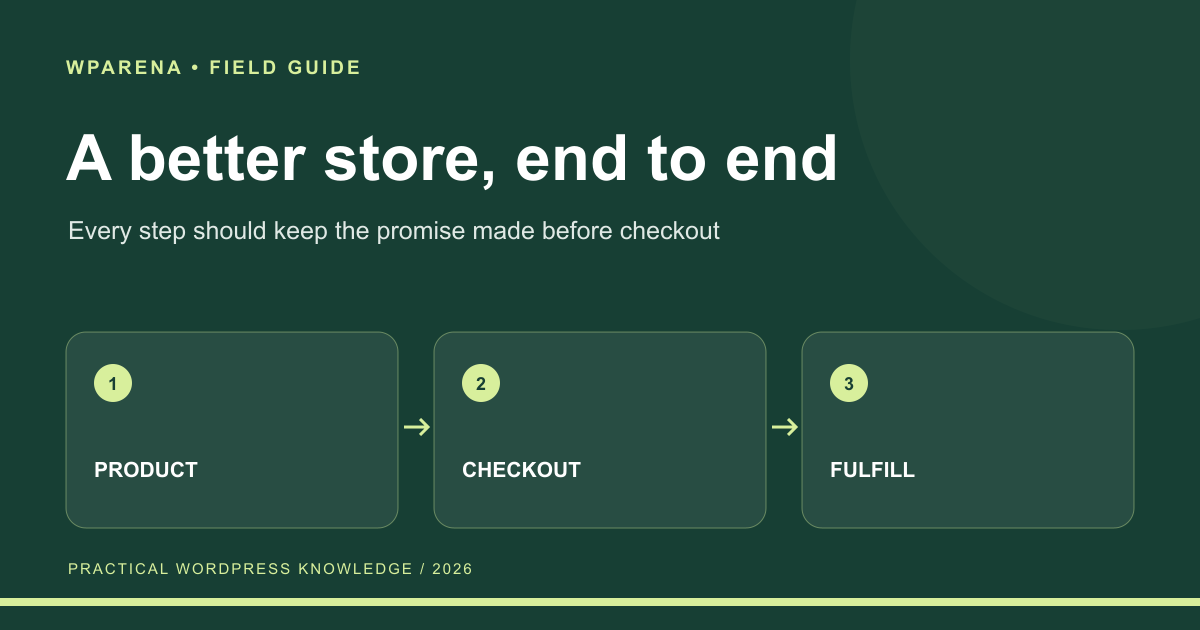
A store builds trust when its product page, social posts, checkout, emails, and delivery all make the same promise. Write down your audience, tone, product claims, delivery commitments, and refund language. Give that brief to everyone who writes or supports the store.
Learn from large retailers without copying their complexity. Clear search, useful filters, transparent stock, understandable shipping, and a visible support route solve real problems. A smaller store should implement those essentials before adding elaborate loyalty systems or personalization.
| Touchpoint | What must agree | How to check |
|---|---|---|
| Advertisement and product page | Price, offer, and product claim | Follow the actual campaign link on a phone. |
| Product and checkout | Availability, delivery cost, and return terms | Place a test order with a realistic address. |
| Confirmation and fulfillment | Items, order number, and delivery expectation | Check the email and warehouse handoff. |
| Support and refunds | The policy promised before purchase | Rehearse a cancellation and refund request. |
- Keep product data and stock accurate.
- Make search and category navigation understandable.
- Offer payment methods appropriate to your customers.
- Provide a support route that someone actually monitors.
- Measure completed orders and returns, not only visits.
Use the SEO guide to improve discovery and the backup guide to protect the orders you earn.
Common questions
Can WordPress run an ecommerce store?
Yes. WooCommerce adds commerce features to WordPress for physical and digital products. A focused digital-sales plugin may suit a download-only business. Your hosting, payment integration, maintenance, and fulfillment processes still need to be configured.
Is WooCommerce free?
The core plugin is free, but operating a store has costs. Budget for hosting, a domain, payment processing, any paid extensions, maintenance, and fulfillment. Compare total operating cost rather than the plugin price alone.
Is WordPress or Shopify better for a beginner?
Choose based on ownership, customization, maintenance capacity, and the workflows you need. A hosted store can reduce infrastructure work; WooCommerce gives you a flexible WordPress foundation with more operational responsibility. Test your payment and shipping requirements before deciding.
Which plugins does every store need?
There is no universal list. Start with the core platform and the integrations required for payment, shipping, delivery, and your business obligations. Add extensions for measured needs and remove overlapping tools.
Does a store need cryptocurrency payments?
No. Treat them as an optional payment workflow. Validate demand, provider and country support, settlement, fees, refunds, and accounting before adding them. Keep conventional payment methods available.
How can I improve WooCommerce conversions?
Find the step where buyers stop. Fix payment or shipping failures first, then improve product information, cost transparency, mobile usability, and checkout clarity. Measure profit and refunds alongside the conversion rate.
Will structured data or a content merge guarantee rankings?
No. Accurate structured data helps search engines understand eligible content. A relevant consolidation with permanent redirects can clarify your site, but rankings also depend on quality, competition, indexing, links, and many other factors.
Should I use a headless WooCommerce store?
Use one when a specific frontend requirement justifies the added integration and maintenance work. Standard WooCommerce is a simpler starting point for many stores. Headless implementations need explicit session, checkout, cache, SEO, and order-flow verification.