



Although there are innumerable names in the WordPress forefront that provide quality WordPress themes, however, CyberChimps is a brand that everyone can rely upon. For several years now, this brand has been providing premium and free themes, integrated with advanced features as well as functionalities.
Right from small-scale agencies to newly founded startups, CyberChimps has a theme specially designed for almost everyone. Having said that, if you scrounge through their options, Responsive is the new one that you can try out for satisfactory output.
Though it’s been a while since they launched this theme, some of the new features and updates were released lately. And hence, I come up with my Responsive Theme review here.
Available in free and premium versions, Responsive WordPress Theme comes assimilated with a variety of aspects. So, keeping the technicalities aside, scroll down and read about my take on this theme.
Responsive Business Child Theme
The responsive business theme is the most popular item due to its exceptional features. This item is made to work flawlessly and beside the makers has extended its features by the time. Responsive Business is the child theme of Free Responsive theme. Read the full review of Free Responsive Theme by Cyberchimps.
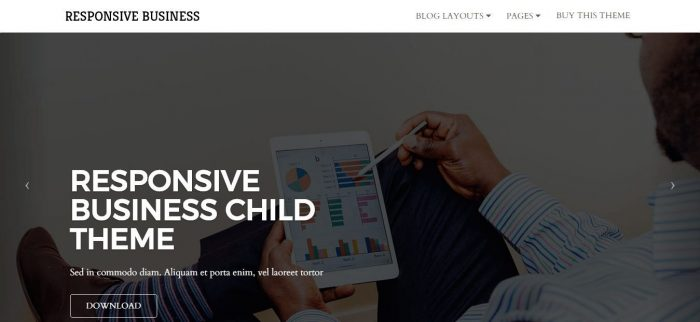
Responsive Business child theme offers several exceptional features like call out, slider, testimonials, services, and numerous business functions. Such fantastic features of responsive child theme help you focus and show the services your company is offering.
The Responsive Business child theme carried several features like page template, home template, recent post widget as well as several other features which help you make your website most attractive. read this WordPress Responsive theme review thoroughly;
Why is The Responsive Business Theme Best Choice?
WordPress responsive business child theme is known as the best WordPress theme because of its different page templates and features. This topic contains four different, yet effective page templates you can select what suits you better. These page layouts mentioned below.
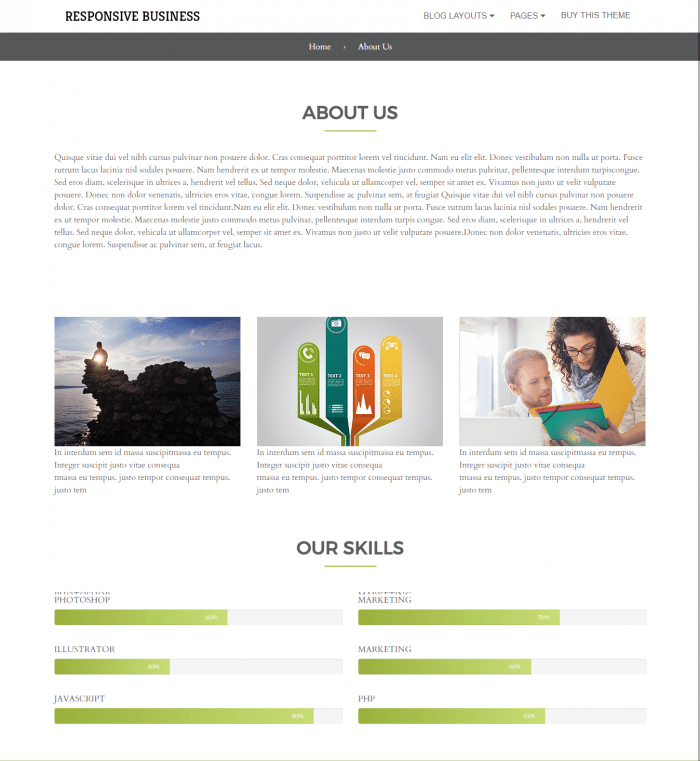
Template # 1. About Us
This model works in two sections in the first section this template gets data from the page of “about us.” However, in the second part of the model, several features are offering individually for display name and progress bar. You can easily add these features by using the menu of “about us” feature.
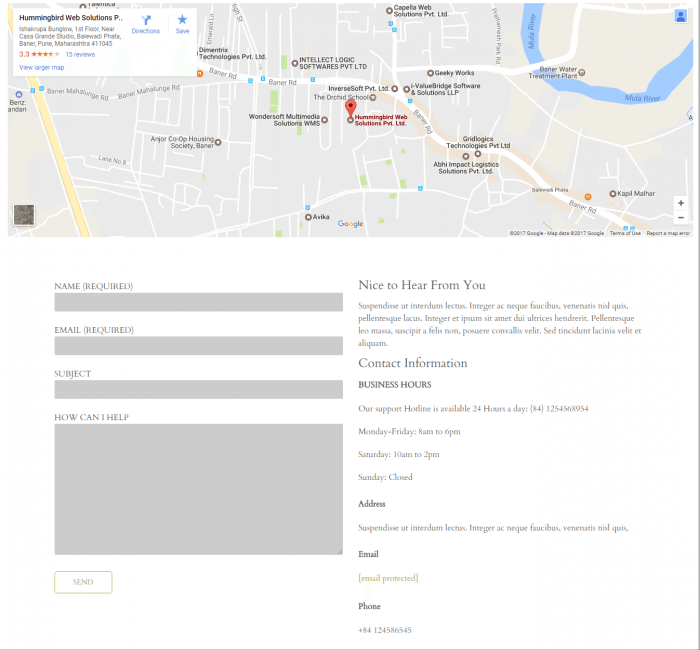
Template # 2. Contact Us
Contact us Page Template also carries two sections. In the first section, you have the elements to display the location of the office, though this place features well integrated with Google maps. You need to add embed code in the theme functions’ tab which is contact template. The second section of the template based on “HTML box” where you can add any text you want to. This second section is well companionable along with contact form 7.
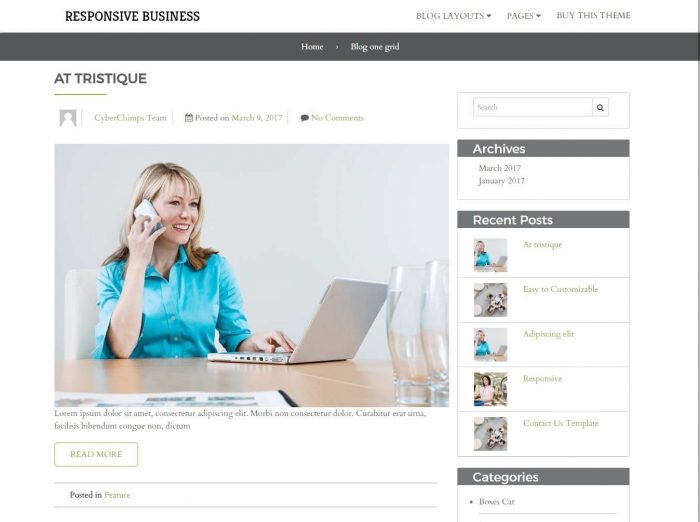
Template # 3. Blog One Grid
In this model, you have the feature to display post in one column by the interacting sidebar.
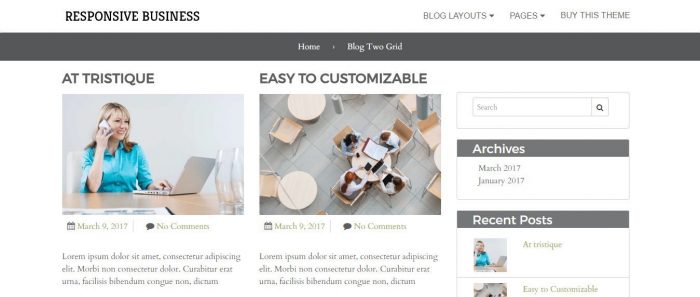
Template # 4. Blog Two Grid
However, in this page template, you have the feature to a current position along with two column layout.
The responsive business child theme is very well integrated with slidedeck3. In this slidedeck3 you have the feature to get content from different social media platforms. Then just highlight the best content according to you within the full-screen slider which can easily pop up in a lightbox. After this, the slider will get prime space on the site’s ‘homepage” and transform website automatically. Also, you have the feature to select the best theme from three different themes or slider lenses to experience the entirely different look of the site.
Design & Compatibility of Responsive Theme:
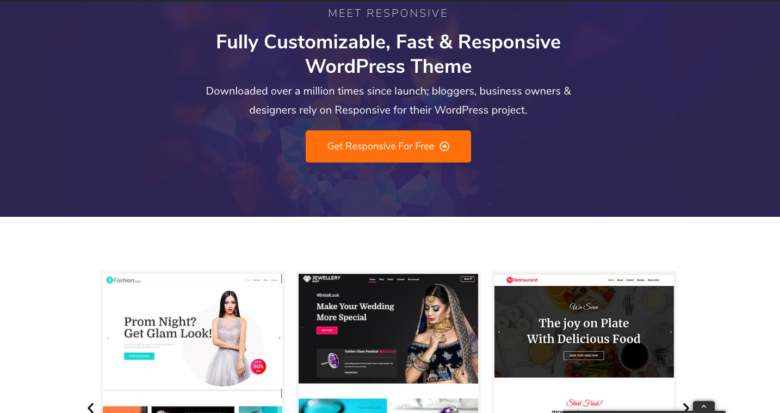
At first glance, one can figure out that the theme looks stylish yet simple. When I installed and activated it into my WordPress website, I was actually happy with the final outcome.
True to its name, the theme is even responsive and worked well on all of the devices for my site. Therefore, you can ensure that your visitors wouldn’t have to face any problems while surfing your website through different screen-sizes.
Thanks to the default schema.org markup that the theme has, it helps to enhance site’s ranking incredibly. Also, as far as compatibility is concerned, it worked well with WooCommerce, Elementor builder, and caching plugins. You can execute the compatibility test to evaluate the results on your own.
How Easy Is It to Customize?
Customizer Section
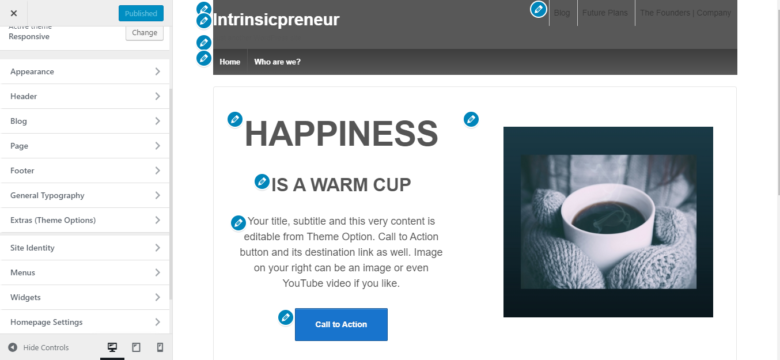
One of the factors that are going to grab the majority of plus points is the theme’s customizer section. Responsive comes with its own different panel that handles all of the edits and customizations. Right from experiencing real-time changes to customizing typography, layout, menu, and more, this section helps you with almost everything.
Basic Layout
Another good thing about Responsive theme is that it’s got basic layout, devoid of fancy elements and buttons. Thus, when you are customizing your website, the process will be straightforward and seamless. Going to the customizer section, you can add or delete elements, adjust layouts, change colors, and alter several other aspects to make the site look professional.
Preview Area
As far as styling is concerned, the preview area on the right-hand side is pretty useful. As you can see in the screenshot below, different pencil-like icons are meant to help you discover corresponding options for one element.
Header and footer customization
Coming to header and footer customization, CyberChimps has added an array of options here. While customizing the header section, you can change menu styling, colors, and more.
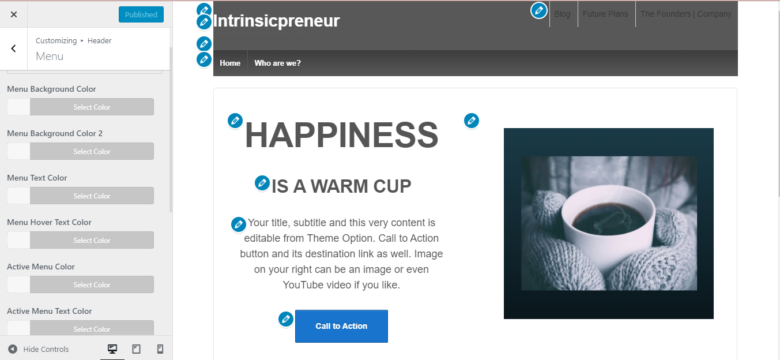
Likewise, there’s a lot that you can find for the footer’s section as well. For instance, you can alter the layout, edit color variants, and try different elements as per your requirement.
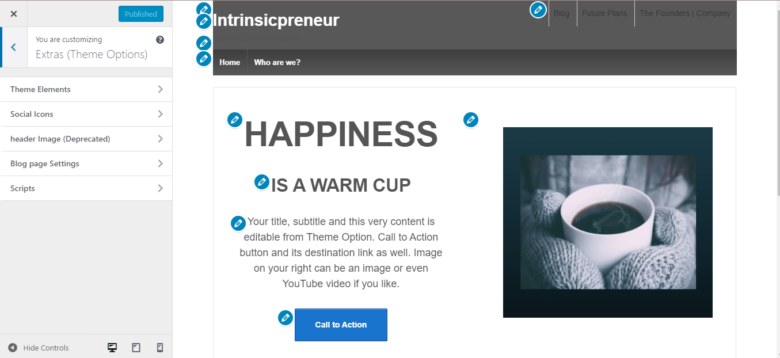
If you wish to have additional configuration options, visit Extras section. Once there, you can add PHP scripts to embed them into the footer or header area. Apart from that, you can also add social media platform icons and create sticky headers here.
Compatibility for WooCommerce
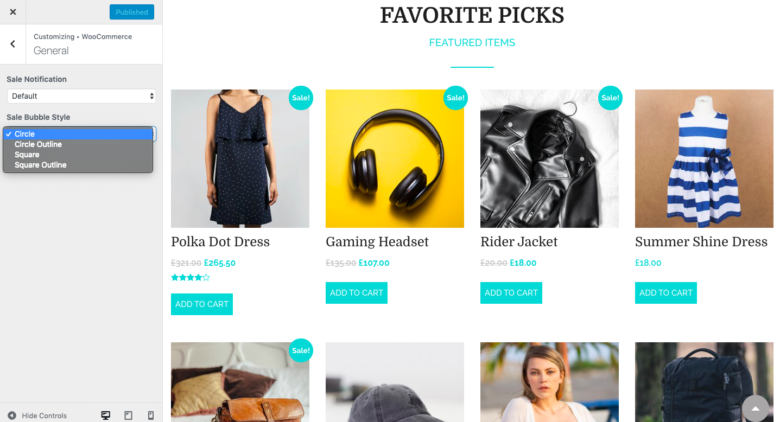
On top of everything, if you’re looking forward to designing a WooCommerce website using Responsive theme, customization would be a breeze for you. Whether it’s checkout page, color combination, product catalog, or product sale notice, you can customize and alter almost everything.
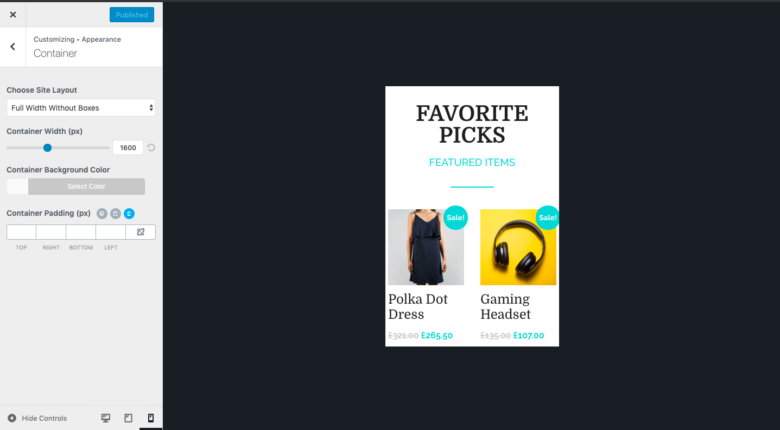
Since a lot of focus has been given on the responsiveness, this theme provides you a preview option in that context as well. So now, while designing, you can see how your site will appear on different devices. For that, scroll down, and you’ll find the device option at the bottom. read more about setting up WooCommerce websites in WordPress websites.
Drag and Drop feature
All-in-all, the theme comes with an effortless drag and drop functionality, helping you design blog posts and web pages as efficiently as possible.
Further, those who’re beginners in web designing field, an add-on by the same company can be used to import pre-developed designs.
Pre-Build Websites to Import
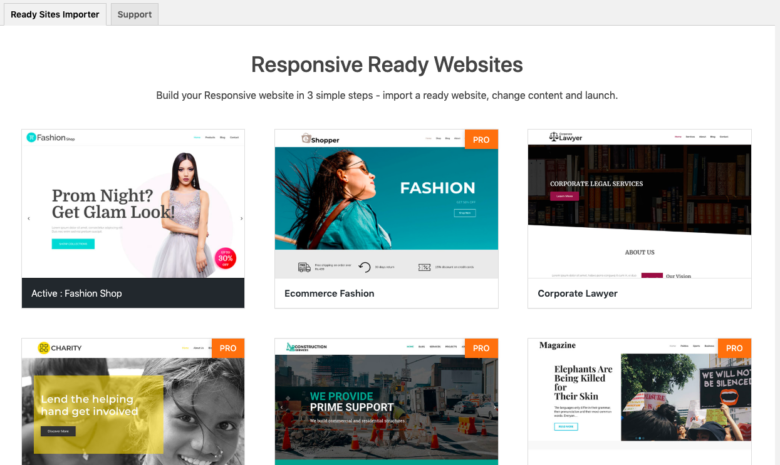
Who doesn’t like demo sites? Especially if there’s somebody who doesn’t want to invest time and effort in developing the site from scratch, pre-made options can work wonders.
So, coming to what Responsive has to offer, you get a completely different option that will help you utilize Responsive plugin to a great extent.
Theme documentation
Click on Appearance and go to Responsive Options. There, you’ll find Theme Documentation. Click on See Documentation, and you’ll be redirected to a new window.
Add Ons Installation
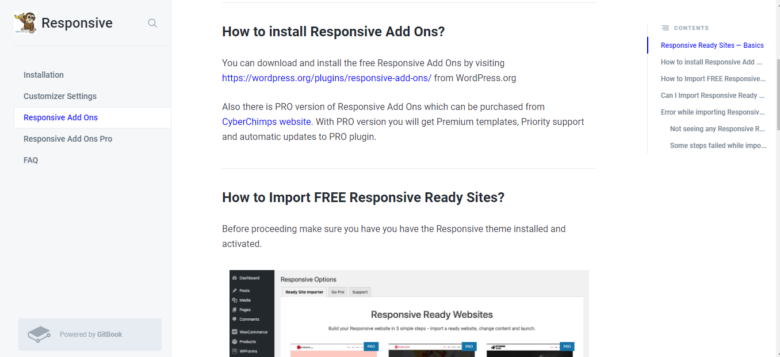
Once there, you’ll find five options on the left side. Click on Responsive Add Ons, and you’ll be able to see the information regarding how to download this plugin and import sites on the right side. All of the pre-built sites that you’ll find are developed with Elementor. Thus, you’d need to install this builder plugin if you wish to relish the drag and drop functionality with these demos.
Also, if you’re using the free version of the Responsive theme, you can get access to 17 pre-built sites. Or else, in the premium version, there are more than 30 options for you.
How to Import Pre-Designed Websites?
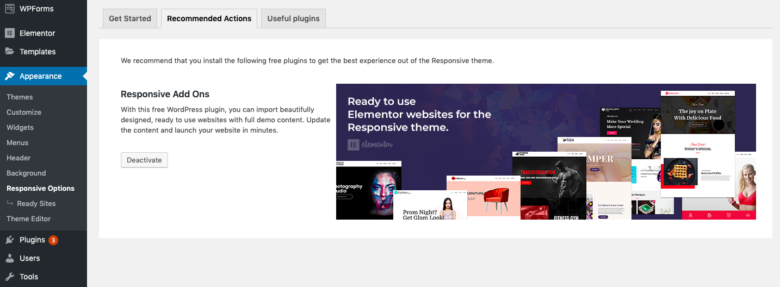
For sure, importing demo sites wouldn’t turn out to be a difficult task for you. Having average skills in website development, I didn’t come across any considerable obstacles myself while importing sites.
To begin with, install Responsive Ready Site Importer and go on with the process of setting up your brand’s platform.
- To start with, choose a template that matches well with your requirements
- To import the demo, you’ll find an Import button towards the top, click on it
- After clicking, you’ll be redirected to a new page, confirm there to move forward
- And then, you can begin editing and customizing
One thing that I liked here is that if you’ve already imported any content, the new demo site installation will delete the previous data. Hence, you wouldn’t have to do it manually.
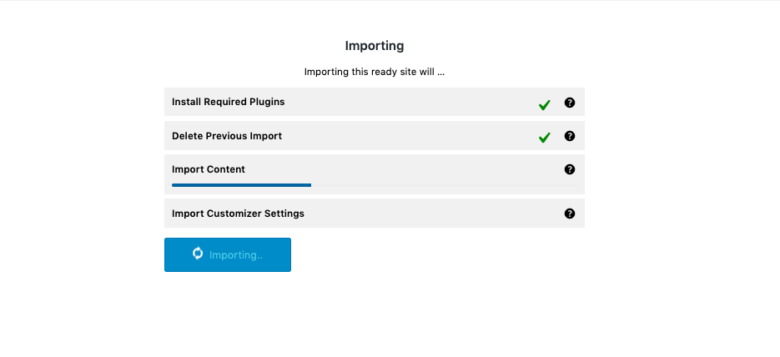
Another amazing feature that should be highlighted is that you wouldn’t have to install any additional plugins to set up the site. The importer by Responsive will install as well as activate the necessary plugin, images, demo content, and more for your use.
Is The Premium Version Worth It?
In case you need more features, priority service, and more starter templates, it may be worth investing in the premium version. The Responsive Theme is now priced at approximately 29.50 a year as the premium plan depending on one site, yet there are various other plans at higher prices based on multiple sites and agencies.
Nevertheless, you may not have to upgrade as soon as you are starting out. The theme itself is already a free version that has an already good amount of features, templates, and customization options that most blogs and small business websites are satisfied with.
this Responsive Theme Review proves to be a game changer for you. Beginners should tend to use the free version to start with. After being used to the topic and require more advanced features or high-quality templates, the paid plan may be offered as a way to be more flexible and supported.
Final Words
With a handful of updates, CyberChimps has enhanced Responsive theme tremendously. Moreover, the flexibility that this theme carries is perfect enough to design a responsive and quick loading website. So, with this Responsive theme review, I hope the benefits of the theme would be clear by now. If you go with this one, you can ensure a myriad of customization features and elements.
So, go ahead and try Responsive by CyberChimps on your own and let me know how the theme turned out for you.
Leave a Reply