

Your next fan should be able to hear a track, find a show, and contact the band without hunting through a slideshow.
The best WordPress theme for your band is the one that makes those jobs easy—and lets you update the site between rehearsals. These four options cover a conventional band website, a block-editor workflow, a music-first design, and a free starting point.
How we reviewed: We inspected official product information and browsed the linked public demos for this September 19, 2026 refresh. Screenshots show those demos, including their sample content; they are not our own band websites. This is a hands-on demo comparison, not a fresh installation or performance benchmark. Theme prices and included support can change.
Affiliate disclosure: WPArena may earn a commission from eligible purchases through marked links, at no extra cost to you. Recommendations below are organized by website needs. A purchase does not guarantee traffic, bookings, or search rankings.
Best WordPress themes for bands: quick comparison
| Theme | Our pick for | Editing approach | Price reference* | Main consideration |
|---|---|---|---|---|
| 1. Lucille | A band with releases, gigs and merch | Elementor / WPBakery support | $64 on ThemeForest | Choose one builder and check the demo’s plugin requirements. |
| 2. Beat | Structured events and discography with blocks | Block editor + GutenBee; Elementor optional | $49/year regular single-theme price | Requires CSSIgniter’s Ignition Framework plugin. |
| 3. Karbones | A bold, music-first artist site | Sonaar / Elementor | $69 personal plan | Budget for ongoing updates and tune the hero layout. |
| 4. Bands | Trying a music-styled site without a theme fee | Classic theme customization | Free; optional Pro upgrade | Several showcase features belong to Pro. |
*USD prices shown by official sources when checked. Taxes, promotions, support extensions, renewal terms, hosting and paid plugins can change the total. Confirm the checkout terms. Sonaar’s personal plan lists one site and one year of updates/support; do not read that as lifetime updates.
1. Lucille: a practical shortlist for a full band website
Lucille makes sense when a band needs more than a striking homepage. The official demo puts Music, Events, Videos, Gallery, Shop and Contact in the main navigation: a useful starting structure for fans and promoters alike.
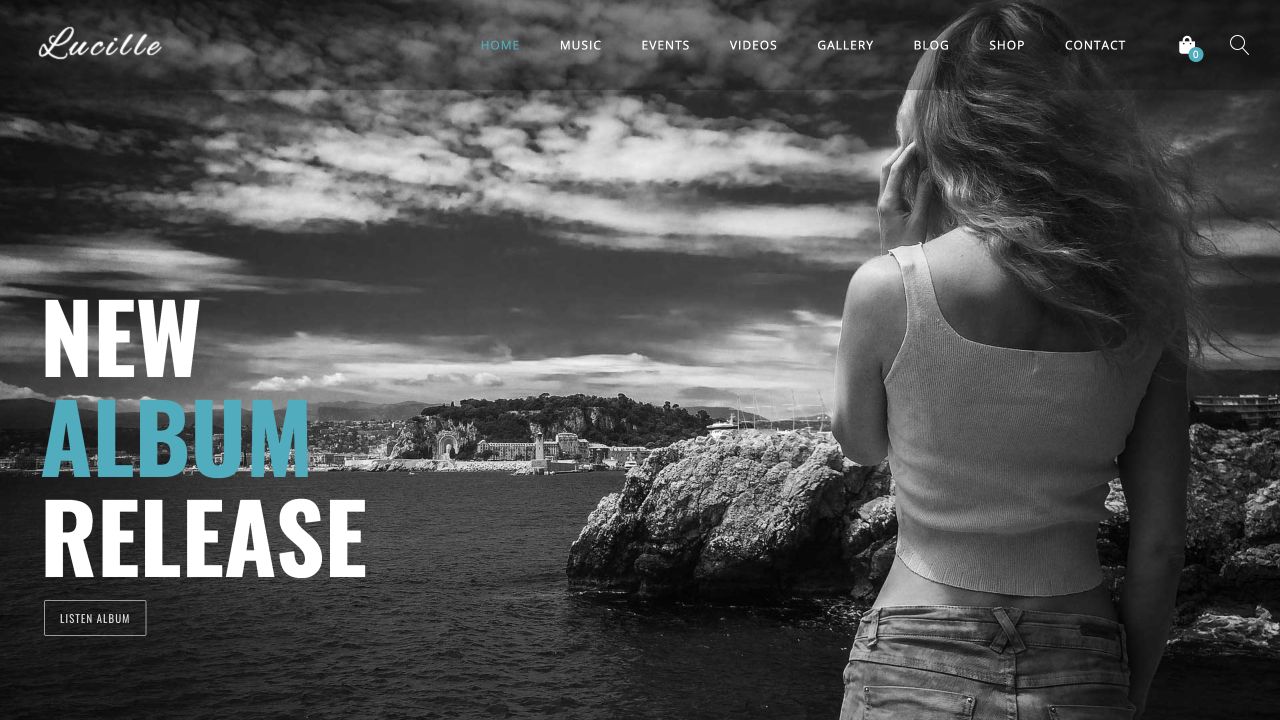
- Why shortlist it: dedicated music-site layouts and support for Elementor, WPBakery and WooCommerce.
- Who it suits: an established band maintaining a catalogue, concert information and a merchandise store.
- What to check: which builder the chosen demo uses, which plugins its import installs, and how bundled plugin updates are supplied.
Our take: start with the clearest demo, replace the oversized slider with one strong release image if you do not need multiple slides, and make “Listen” and “Upcoming shows” the first two useful actions. Do not install two page builders just because both are supported.
Source: SmartWPress’s official Lucille listing, which lists a July 20, 2026 update. Check compatibility again before buying.
2. Beat: a strong option for organized tour dates and releases
Beat is worth a close look if you want to build with WordPress blocks rather than make every page depend on a visual builder. CSSIgniter documents events, discography and team content through its Ignition Framework; its sample layouts use GutenBee blocks. Elementor is also supported.
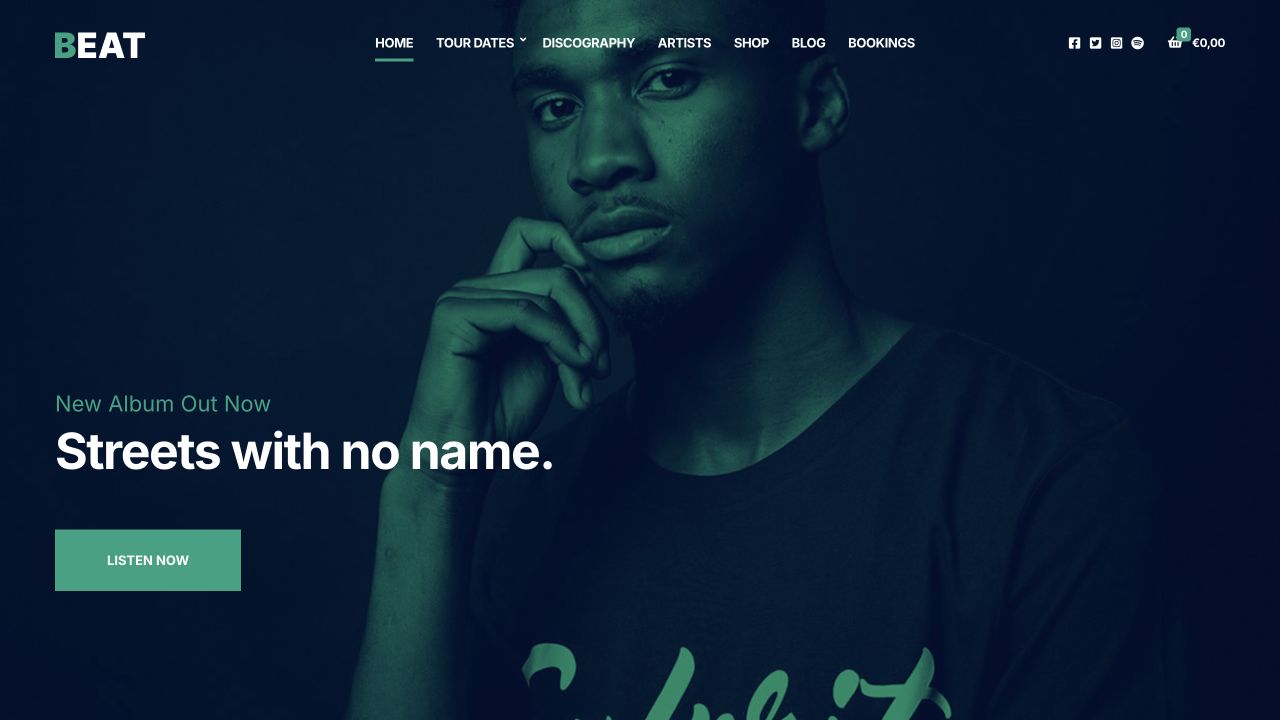
- Why shortlist it: a documented structure for releases and events, plus an optional WooCommerce store.
- Who it suits: bands that regularly add shows or albums and want those entries organized consistently.
- What to check: Ignition is required; AudioIgniter supplies playlists in the documented setup. Keep the distinction between the theme and its supporting plugins clear.
Our take: create one complete release and one gig before importing your entire archive. That exposes missing fields early and gives the next person updating the website a repeatable pattern.
Sources: Beat product page and pricing; Beat setup documentation. The demo’s old concert dates are sample content, not upcoming events.
3. Karbones by Sonaar: for a bold artist or band identity
Karbones is a Sonaar design aimed at a one-page music website. Its official description emphasizes a continuous audio player, customizable typography and music-focused presentation. The demo also links to album, event, store and press-kit layouts.
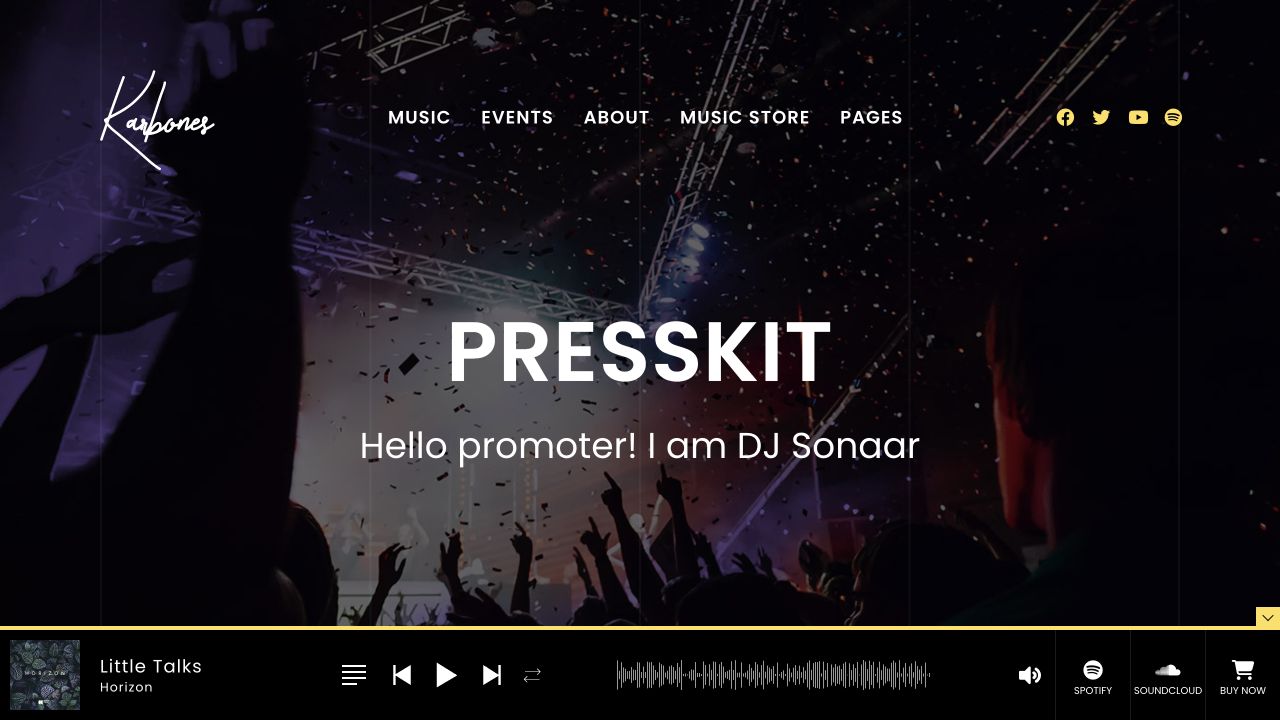
- Why shortlist it: a music-focused design with Elementor editing and a player-centered approach.
- Who it suits: bands with strong photography and an active release to promote.
- What to check: player behavior on real phones, external embeds, navigation while audio plays, and the plan’s site/update limits.
Our demo observation: the oversized homepage type can compete with the navigation at shorter desktop heights. Treat the import as a starting layout: reduce the heading size and adjust header spacing before launch. A dramatic demo is not a finished site.
Our take: choose this approach when the listening experience matters enough to justify extra player and layout testing. Let visitors start playback themselves.
4. Bands: try the basics before paying for a theme
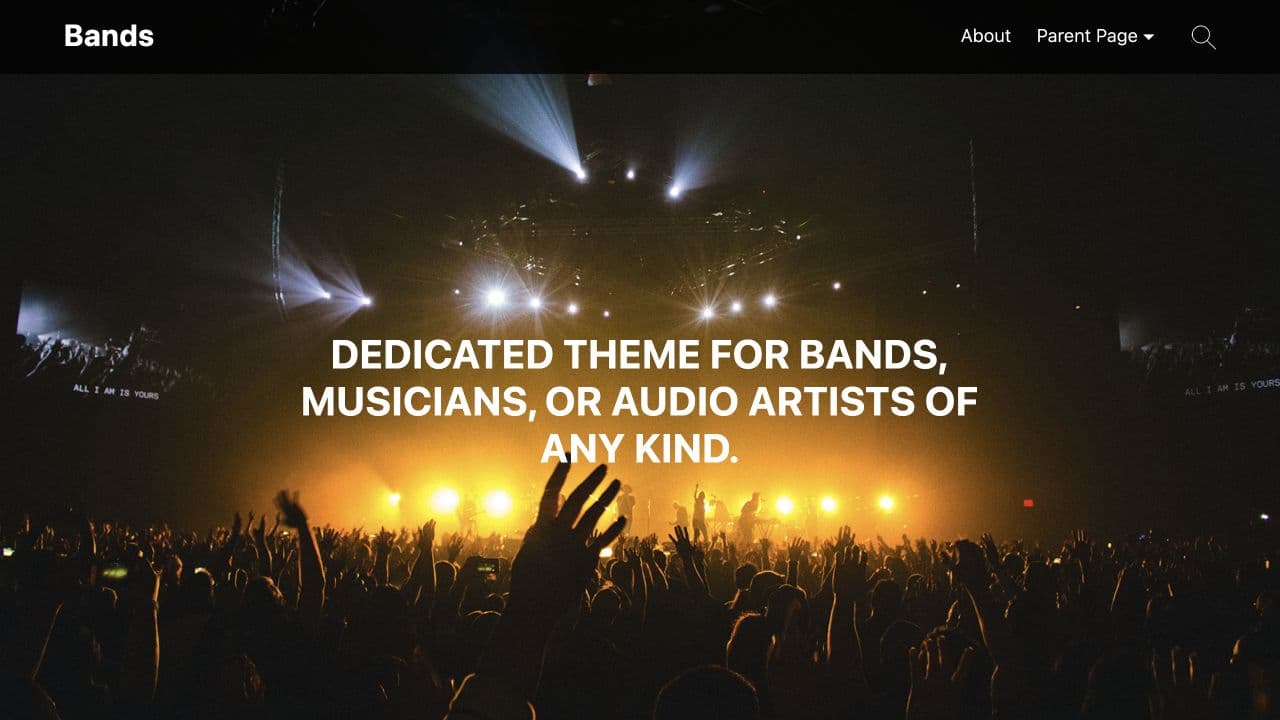
Bands is available in the WordPress.org directory. The free feature list includes custom branding, colors, header/background images and WooCommerce integration. The directory separately identifies Pro features, including its custom hero, slider and additional social tools.
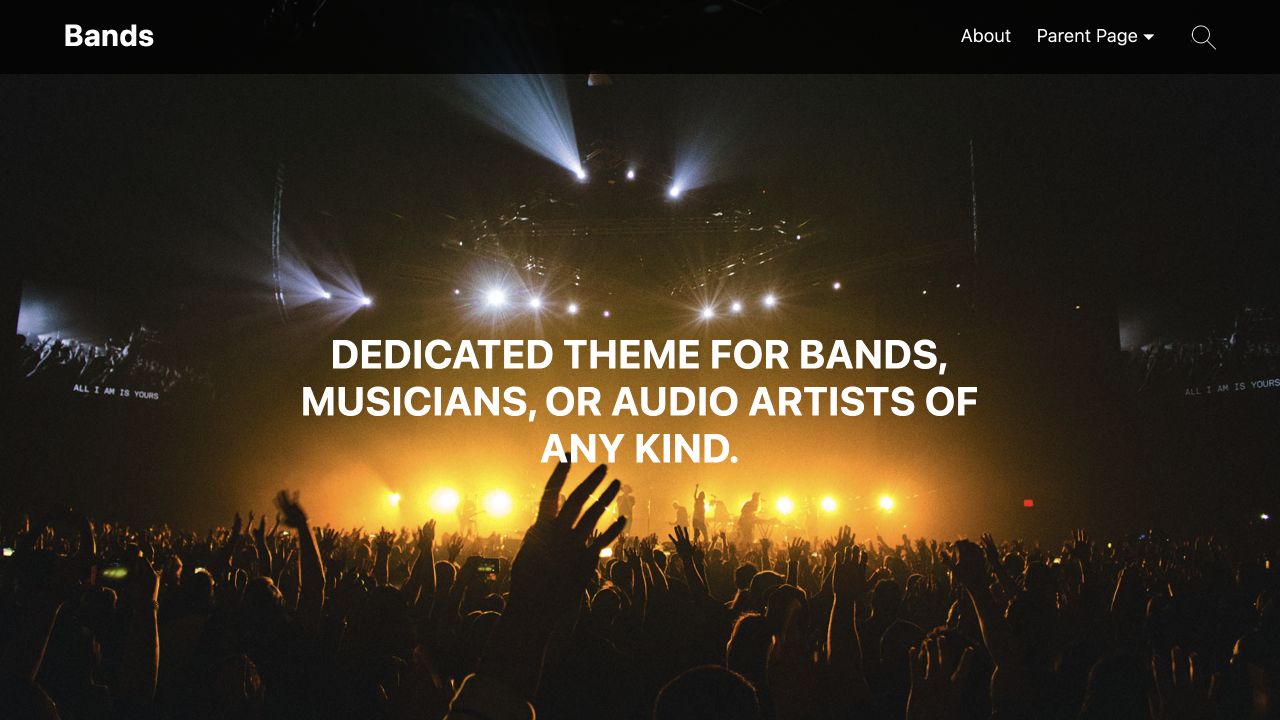
- Why shortlist it: you can evaluate the free download before committing to a premium design.
- Who it suits: a new project building a basic home, music, about and contact site.
- What to check: the exact free features, mobile layout with your own content, and current WordPress/PHP compatibility.
Our take: use a free theme to learn what your band actually needs. If you immediately need several Pro-only features, compare the complete paid setup against the other options instead of choosing on the “free” label alone.
Source: Bands on WordPress.org. The directory lists version 2.0, updated November 12, 2025; recheck its maintenance history before installation.
How to choose a band theme without paying for features you will not use
Begin with the next six months of the band’s work. A touring act needs reliable show information. A studio project may need a release page, a player and an email signup. A covers band is more likely to need booking enquiries, location information and evidence of past performances.
For an original band
- Put the latest release and listening links near the top.
- Give each album its own page with artwork, credits and relevant links.
- Keep tour dates separate from ordinary news posts.
For a function or covers band
- Make booking enquiries easy to find.
- Explain where you perform and the types of events you play.
- Show a concise set list, a live performance video and useful booking details.
A theme’s event list is not necessarily a ticketing system. Decide whether the site will link to an external ticket seller or handle checkout, ticket delivery and attendee management itself. Similarly, a WooCommerce-compatible theme provides styling; you still need to configure products, payments, shipping and customer emails.
The five-minute demo check
- Find a song. Can a first-time visitor reach music without closing overlays or scrolling through several screens?
- Find a show. Look for the date, venue, city and a clearly labeled ticket link. A visitor should not have to decode a poster image.
- Use the phone menu. Open it, follow a link, return, and check that a sticky player does not hide the controls.
- Find the contact route. Booking enquiries and fan messages may need different destinations.
- Picture ordinary content. Replace the demo’s dramatic photos in your mind with the images your band actually owns. The design still needs to work.
The pages a useful band website needs
- Home: band name, a short description, a current photo and one primary action. Change the main action when you move from a release campaign to a tour.
- Music: album or single pages with release information and listening links. Avoid loading a dozen embedded players immediately.
- Shows: upcoming dates with city, venue, local time and ticket destination. Separate past shows into an archive.
- About: a readable biography, band members where relevant, and approved press photos.
- Press kit: short and long biographies, downloadable photographs, music/video links and a booking or press contact. Make assets easy to identify.
- Shop: accurate sizes, stock, shipping information and working checkout if you sell merchandise.
- Contact: a short, tested form and the information a promoter needs to make an enquiry.
Build a smaller site you can maintain. An empty news section and years-old “upcoming” dates make a polished theme feel abandoned. Our WordPress setup guide covers the site-building foundations; the WordPress ecommerce guide helps with the store side.
SEO and performance checks for a band website
A theme cannot make a band rank first in Google. Its job is to provide a readable, usable presentation. Your site still needs useful content, descriptive page titles, crawlable navigation and working pages. Google’s SEO Starter Guide explains the fundamentals.
- Use specific page titles. “Band Name — Tour Dates” is clearer than “Events.” An album page should identify the artist and release.
- Publish concert details as text. Include the city, venue, date and ticket link alongside artwork. Give a meaningful show its own page when there is enough information to justify one.
- Describe images accurately. Use useful alt text for informative photos; do not repeat a target keyword on every image.
- Control media weight. Compress the hero image, provide image dimensions, and load below-the-fold galleries only when needed. Prefer a poster image and a play button to an automatically loading background video.
- Limit embeds. A page full of streaming, video and social widgets can become much heavier than the theme itself. Start with one primary listening option and link to the rest.
- Check the real site. Test pages after adding your photographs, fonts, analytics, store and player. A vendor demo’s speed is not a benchmark for your installation.
- Maintain continuity. When replacing an existing site, preserve useful URLs or redirect each changed URL to its closest replacement. Do not send every old album page to the homepage.
For a deeper workflow, follow our WordPress SEO guide and permalink guide. Choose hosting around your actual traffic and media needs, and make a restorable backup before changing themes.
Before you launch: a practical checklist
- Confirm the theme and its required plugins work with your WordPress and PHP versions.
- Import demo content on staging, then replace sample dates, biographies, photos, links and products.
- Use music and photographs you have permission to publish; a demo image is not automatically licensed for your band.
- Test menus, keyboard focus, text contrast, ticket buttons, booking-form delivery and store checkout.
- Check every page on a real phone, including landscape orientation and any sticky audio player.
- Keep analytics and optional integrations proportionate to the site’s needs, and explain any data collection clearly.
- Record who maintains the theme, plugins, hosting, renewal payments and backups.
Frequently asked questions
Which WordPress theme should a band choose?
Start with Lucille for a conventional band site, Beat for a block-oriented events and discography setup, Karbones for a music-first design that you can customize, or Bands to evaluate a free option. The best choice depends on your editing workflow and the features you can maintain.
Do I need a dedicated music theme?
No. A general-purpose theme can work with a music player, event tooling and a store plugin. A dedicated music theme can save layout work, but compare its required plugins and how easy it will be to move your content later.
Can I sell merchandise and digital music?
Yes, with an ecommerce plugin and a properly configured payment and delivery workflow. Check the full purchase journey, including confirmation emails, downloads, refunds and physical-product shipping. Theme compatibility alone does not configure the store.
Will a music theme keep audio playing between pages?
Only if the theme or player supports that behavior. Karbones advertises continuous playback, but test your actual player, page navigation and mobile browsers. An embedded streaming player does not automatically inherit the same behavior.
Can a free theme be enough?
Yes, for a small site with a biography, music links, show information and contact details. List your must-have features before comparing free and paid versions. Hosting, a domain and ongoing maintenance still need a budget.
Are the demo screenshots proof of performance testing?
No. They show the official designs we browsed for this comparison. They do not establish load-time scores, accessibility compliance or compatibility with every plugin. Test your finished site with your own content before launch.
Our recommendation
Shortlist Lucille and Beat first if you want a straightforward, maintainable band site with room for music, shows and a store. Consider Karbones when the player and visual identity justify extra layout work. Try Bands when a free starting point matters most. Pick one demo, test your essential pages, and keep the route from discovering the band to hearing or booking it short.



Responses (0 )