


Editor's note, September 2026: this article reports an FBI public service announcement issued in April 2015. Every specific vulnerability named below was patched more than a decade ago, and the plugins involved have long since been fixed, renamed or removed from the WordPress plugin directory. We have kept the page because the underlying failure — premium plugins bundled inside themes that never get updated — is still one of the most common ways WordPress sites get compromised today. The original 2015 "solutions" have been removed, because two of them were plugins that no longer exist and one of those was itself an unofficial third-party patch. Current guidance is in the second half of this article.
What the FBI announced in 2015
In April 2015 the FBI's Internet Crime Complaint Center issued a public service announcement warning that WordPress sites were being defaced at scale, and urging site owners to patch their plugins. It followed a run of defacements against private and government websites across the United States and Europe. The announcement attributed the campaign to sympathisers of ISIL, on the basis of the imagery left on the defaced pages. The FBI's statement read: "Continuous Website defacements are being perpetrated by individuals sympathetic to the Islamic State in the Levant (ISIL) a.k.a. Islamic State of Iraq and al-Shams (ISIS)."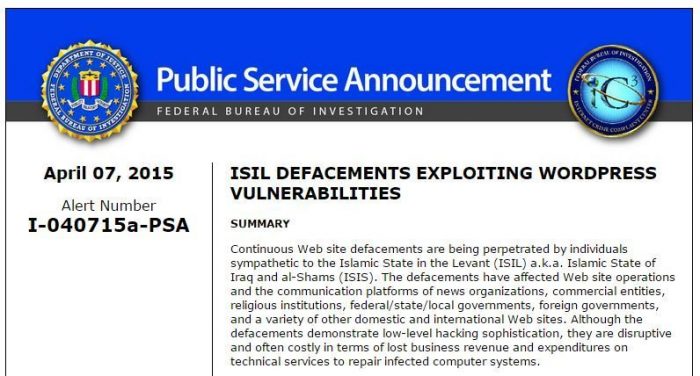 Crucially, the campaign was not targeting any particular kind of site. The attackers were scanning indiscriminately for known plugin vulnerabilities, which the FBI described as "easily exploited by commonly available hacking tools." Sites were hit because of what they had installed, not because of who they were.
That is the detail worth carrying forward. Mass defacement campaigns then and now work the same way: a vulnerability is disclosed, an exploit is automated within days, and scanners sweep the entire internet looking for sites that have not applied the fix yet.
Crucially, the campaign was not targeting any particular kind of site. The attackers were scanning indiscriminately for known plugin vulnerabilities, which the FBI described as "easily exploited by commonly available hacking tools." Sites were hit because of what they had installed, not because of who they were.
That is the detail worth carrying forward. Mass defacement campaigns then and now work the same way: a vulnerability is disclosed, an exploit is automated within days, and scanners sweep the entire internet looking for sites that have not applied the fix yet.
The 2015 vulnerabilities, and where they stand now
These were the plugins most commonly implicated at the time, according to security vendor Sucuri. All of these issues are long since fixed. This section is a historical record — treat it as context, not as a to-do list.1. Slider Revolution (RevSlider)
 By far the largest contributor, with well over a hundred thousand reported compromises. A local file inclusion flaw disclosed in late 2014 allowed attackers to read arbitrary files — including wp-config.php, and with it the database credentials. It drove the SoakSoak mass-compromise campaign, and WP Tavern's coverage at the time advised immediate updates.
The vendor patched it promptly. The reason it kept claiming victims for years afterwards is the part that still matters, and it is covered in the next section.
The 2015 advice on this page recommended a third-party "Patch for Revolution Slider" plugin. That plugin was permanently closed on the WordPress plugin directory on 16 March 2020 and can no longer be installed. We no longer recommend it, and you should not go looking for a replacement: installing unofficial patch plugins means running unreviewed code that hooks your site in order to work around a bug the vendor has already fixed. Update the real plugin instead.
By far the largest contributor, with well over a hundred thousand reported compromises. A local file inclusion flaw disclosed in late 2014 allowed attackers to read arbitrary files — including wp-config.php, and with it the database credentials. It drove the SoakSoak mass-compromise campaign, and WP Tavern's coverage at the time advised immediate updates.
The vendor patched it promptly. The reason it kept claiming victims for years afterwards is the part that still matters, and it is covered in the next section.
The 2015 advice on this page recommended a third-party "Patch for Revolution Slider" plugin. That plugin was permanently closed on the WordPress plugin directory on 16 March 2020 and can no longer be installed. We no longer recommend it, and you should not go looking for a replacement: installing unofficial patch plugins means running unreviewed code that hooks your site in order to work around a bug the vendor has already fixed. Update the real plugin instead.
2. FancyBox for WordPress
 A zero-day disclosed in February 2015 allowed unauthenticated attackers to inject a malicious script into site settings.
This one has a happy ending: FancyBox for WordPress is still on the plugin directory, still actively maintained, and tested against current WordPress releases. The 2015 flaw was fixed at the time. If you are running it, just keep it updated like anything else.
A zero-day disclosed in February 2015 allowed unauthenticated attackers to inject a malicious script into site settings.
This one has a happy ending: FancyBox for WordPress is still on the plugin directory, still actively maintained, and tested against current WordPress releases. The 2015 flaw was fixed at the time. If you are running it, just keep it updated like anything else.
3. MailPoet
 A remote file upload vulnerability in the plugin then published as wysija-newsletters let attackers upload a PHP file without authenticating. It was exploited widely within days of disclosure.
The plugin was subsequently rewritten and is published today as MailPoet, which is actively maintained and tested against current WordPress. The vulnerable 2014 codebase is not what you would be installing now.
A remote file upload vulnerability in the plugin then published as wysija-newsletters let attackers upload a PHP file without authenticating. It was exploited widely within days of disclosure.
The plugin was subsequently rewritten and is published today as MailPoet, which is actively maintained and tested against current WordPress. The vulnerable 2014 codebase is not what you would be installing now.
4. Gravity Forms
An arbitrary file upload flaw, documented by Sucuri, affected older releases. Gravity Forms is a commercial plugin distributed by its vendor rather than through the WordPress plugin directory, so it updates only while you hold a current licence — see the section below on why that matters. The flaw was patched in 2015. A separate database takeover vulnerability was disclosed around the same time in the unrelated Custom Contact Forms plugin.5. WP Symposium Pro
 WP Symposium was a social-networking plugin that turned a WordPress site into a community platform. An unauthenticated file upload vulnerability in 2014 made it a favourite target.
WP Symposium Pro was permanently closed on the WordPress plugin directory on 11 September 2022. It receives no updates and cannot be installed. If you still have it on a site, deactivate and delete it — an abandoned social-networking plugin is a large amount of unmaintained code handling user-submitted content and file uploads.
If you need community or social features on WordPress today, BuddyPress is the maintained option, and it is tested against current WordPress releases.
WP Symposium was a social-networking plugin that turned a WordPress site into a community platform. An unauthenticated file upload vulnerability in 2014 made it a favourite target.
WP Symposium Pro was permanently closed on the WordPress plugin directory on 11 September 2022. It receives no updates and cannot be installed. If you still have it on a site, deactivate and delete it — an abandoned social-networking plugin is a large amount of unmaintained code handling user-submitted content and file uploads.
If you need community or social features on WordPress today, BuddyPress is the maintained option, and it is tested against current WordPress releases.
The lesson that is still true: bundled premium plugins do not update themselves
Slider Revolution was patched by its vendor within days. Sites kept getting compromised through it for years. Understanding why is the single most useful thing to take from this episode, because the same trap is wide open today. Slider Revolution is a commercial plugin sold on a marketplace. Thousands of premium WordPress themes bundled a copy of it as a selling point — "includes Slider Revolution, a $30 value". When you bought one of those themes, you got the plugin, but you did not get a licence for it. Which meant:- It did not appear in WordPress's update checks, because it is not distributed through the WordPress plugin directory.
- It had no update key of its own, so it could not pull updates from the vendor either.
- It could only be updated when the theme author shipped a new version of the theme containing a newer bundled copy — and many of them never did.






Responses (2 )