Few days back I had written a post for WordPress and Bloggers blog “How to make WordPress and Blogger Post Via e-Mail“, there are two important WordPress settings including this one and the other one is ratings of blog posts and comments that you are not able to handle either during sign-up process or in the setting menu for a blog on WordPress.com. For Self hosting blog all you have to enhance your blog or Website through WordPress Plugins WP-PostRatings.
1. Ratings Settings:
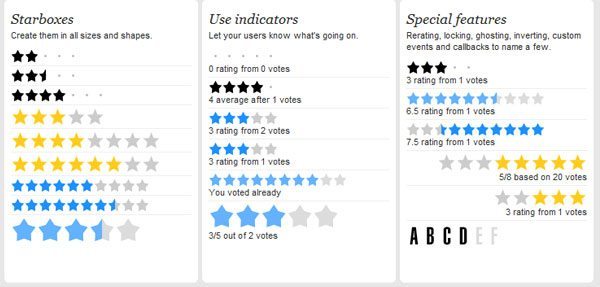
The Rating Settings are found in a subpanel of the Rating menu on WordPress Administration pages. PollDaddy Ratings are available on WordPress.com. This enables you to place ratings on your blog posts, pages, and comments. To get started, look for the Ratings menu in your dashboard.
There is an excellent video tutorial on Rating setting on posts, pages, and comments:
Rating Posts:
There are two options to use rating system whether to use a Five-star rating or a Nero rating(thumbs up or Thumbs Down).
Rating Pages:
You can extend your pages by this feature and can set the position of ratings above and below each page.
Rating Comments:
You can further extend the rating options for comments, so visitors can rate one another’s comments.
WordPress Plugin – WP-PostRatings
Adds an AJAX rating system for your WordPress blog’s post/page.
2. Post by Email Settings:

This setting can be very useful or problematic because smartphone holder is able to download an app for it that enables them to do at least basic WordPress blog management on the go. Apps are available for the iPhone/iPod touch and for BlackBerry. Search your required apps related to your gadgets on WordPress.com. Keep in mind that These apps do not require that you turned on the Post by Email setting, though you can use an app sometimes and Post by Email other times.

 Editorial Staff